Bold Text Generator Online - Copy Paste Bold, Italic & Strikethrough Anywhere
Admin
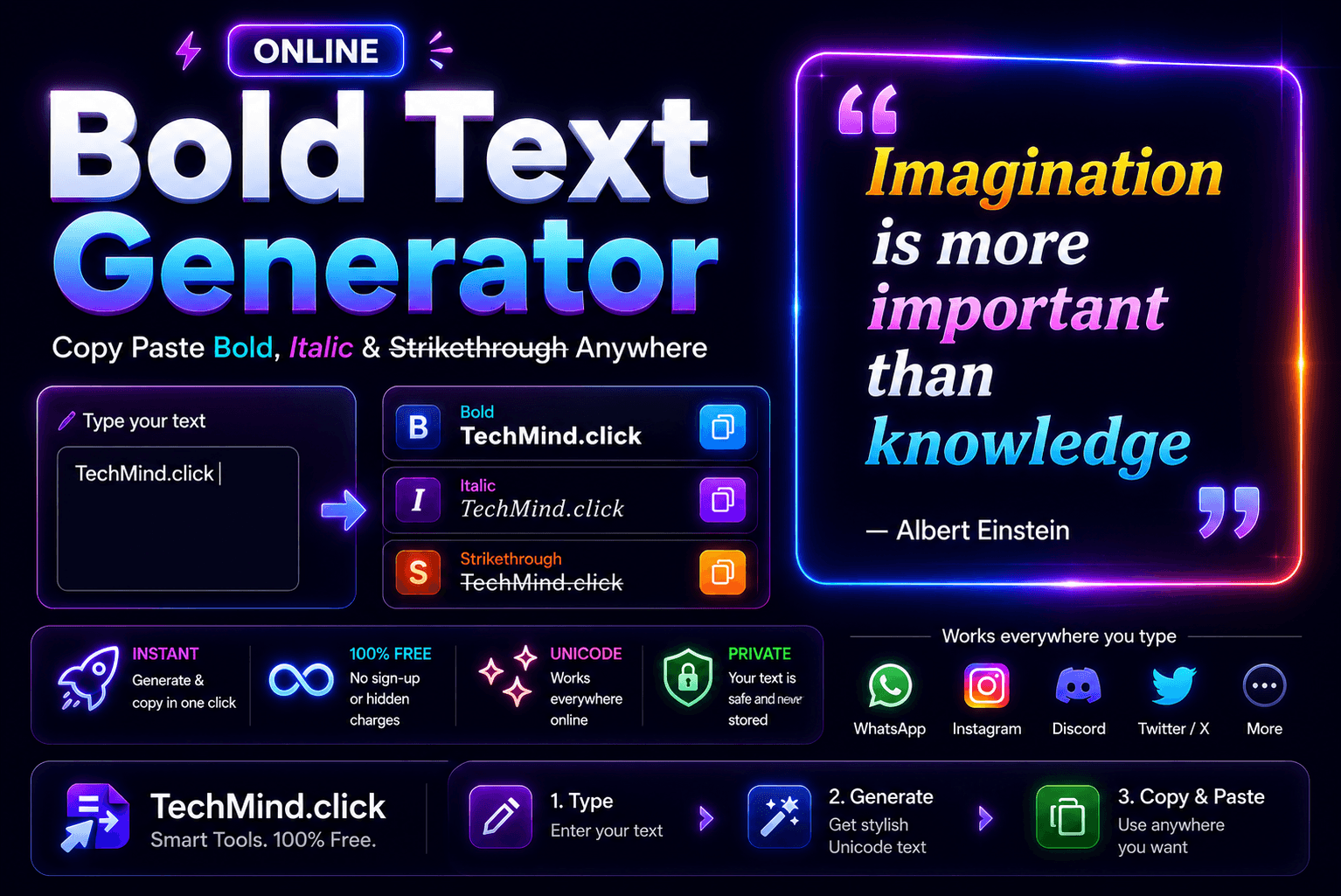
Albert Einstein once said - "Imagination is more important than knowledge." Now imagine if you could make that sentence look like this: 𝗔𝗹𝗯𝗲𝗿𝘁 𝗘𝗶𝗻𝘀𝘁𝗲𝗶𝗻 𝗼𝗻𝗰𝗲 𝘀𝗮𝗶𝗱 - 𝗜𝗺𝗮𝗴𝗶𝗻𝗮𝘁𝗶𝗼𝗻 𝗶𝘀 𝗺𝗼𝗿𝗲 𝗶𝗺𝗽𝗼𝗿𝘁𝗮𝗻𝘁 𝘁𝗵𝗮𝗻 𝗸𝗻𝗼𝘄𝗹𝗲𝗱𝗴𝗲.
And paste it directly into WhatsApp, Instagram, Discord, or Twitter - and it shows up bold. No HTML. No markdown. No app settings. Just copy and paste.
That is exactly what TechMind.click's new Bold Text Generator does. And alongside it - Italic Text and Strikethrough Text too. All free, all instant, all copy-paste ready for any platform.
Why Bold Text Matters - More Than You Think
Steve Jobs famously said, "Details matter, it's worth waiting to get it right." In writing, bold text is one of those details. It does something plain text cannot - it tells the reader: 𝘁𝗵𝗶𝘀 𝗽𝗮𝗿𝘁 𝗺𝗮𝘁𝘁𝗲𝗿𝘀.
But here is the problem most people run into: standard bold formatting - the kind you get by pressing Ctrl+B in Word or wrapping text in ** in markdown - does not travel well. Paste it into WhatsApp and the asterisks show up literally. Paste it into an Instagram caption and the formatting disappears entirely. Paste it into a Discord message outside of a markdown-supported channel and nothing happens.
Unicode bold text solves this. It uses a completely different set of characters - mathematical bold letters from the Unicode standard - that look bold on every platform because they are actually different characters, not just formatted versions of regular ones.
What Is Unicode Bold Text?
Unicode is the universal character encoding standard that covers virtually every character, symbol, and script used in human writing. Within Unicode, there are dedicated sets of mathematical bold, italic, and styled characters that look visually distinct from regular Latin letters.
For example:
- Regular A: A
- Unicode Bold A: 𝗔
- Unicode Italic A: 𝘈
- Unicode Bold Italic A: 𝘼
These characters are recognized by every modern platform - WhatsApp, Instagram, Twitter, Discord, LinkedIn, Telegram, and even SMS on most modern phones. Because they are actual characters and not formatting codes, they survive copy-paste across every app.
The Three New Tools on TechMind.click
As Maya Angelou wisely put it, "You can't use up creativity. The more you use, the more you have." With these three tools, your creative options just got a lot wider:
𝗕𝗼𝗹𝗱 𝗧𝗲𝘅𝘁 𝗚𝗲𝗻𝗲𝗿𝗮𝘁𝗼𝗿: Converts every letter into its Unicode mathematical bold equivalent. Paste bold text into WhatsApp captions, Instagram bios, Twitter posts, Discord messages, LinkedIn updates, and anywhere else you write online. No asterisks. No formatting codes. Just bold characters that stay bold everywhere.
𝘐𝘵𝘢𝘭𝘪𝘤 𝘛𝘦𝘹𝘵 𝘎𝘦𝘯𝘦𝘳𝘢𝘵𝘰𝘳: Converts text into Unicode italic characters. Great for quoting famous personalities, adding emphasis without the aggression of bold, or giving your social media captions a refined, editorial feel. When Albert Einstein said 𝘐𝘮𝘢𝘨𝘪𝘯𝘢𝘵𝘪𝘰𝘯 𝘪𝘴 𝘮𝘰𝘳𝘦 𝘪𝘮𝘱𝘰𝘳𝘵𝘢𝘯𝘵 𝘵𝘩𝘢𝘯 𝘬𝘯𝘰𝘸𝘭𝘦𝘥𝘨𝘦 - that italic makes it feel like a genuine quote, not just typed text.
S̶t̶r̶i̶k̶e̶t̶h̶r̶o̶u̶g̶h̶ T̶e̶x̶t̶ G̶e̶n̶e̶r̶a̶t̶o̶r̶: Adds a line through each character using Unicode combining characters. Used in social media to show sarcasm, crossed-out prices, corrections, or just a distinctive visual style. Works in WhatsApp, Discord, Instagram, and most modern platforms.
How to Use These Tools on TechMind.click
Winston Churchill once said, "Success is not final, failure is not fatal: it is the courage to continue that counts." Here is what it looks like converted: 𝗦𝘂𝗰𝗰𝗲𝘀𝘀 𝗶𝘀 𝗻𝗼𝘁 𝗳𝗶𝗻𝗮𝗹, 𝗳𝗮𝗶𝗹𝘂𝗿𝗲 𝗶𝘀 𝗻𝗼𝘁 𝗳𝗮𝘁𝗮𝗹.
Getting there takes four steps:
- Go to TechMind.click - The text formatter loads on the homepage. Click the Style tab to see all new tools.
- Paste your text - Paste anything from a single word to a full paragraph.
- Click Bold, Italic, or Strikethrough - Your text converts instantly. The result appears in the output box below.
- Copy and paste - Click Copy Text and paste into WhatsApp, Instagram, Discord, or wherever you need it. The styling stays intact.
Who Uses These Tools?
Social media creators: Make your Instagram captions and Twitter posts visually stand out without any design work. A single bold word in a caption draws the eye and increases engagement. Try it: paste a famous quote, bold the key phrase, post it - the difference is immediate.
WhatsApp and Telegram users: WhatsApp supports its own bold formatting using asterisks - but that only works inside WhatsApp. Unicode bold works in every chat app simultaneously. If you manage multiple groups or channels across different platforms, Unicode bold is the cross-platform solution.
Content writers and bloggers: When writing for platforms that strip HTML - newsletters, some CMS platforms, plain text editors - Unicode styling is the only way to add visual emphasis that survives.
Discord and gaming community managers: Discord has its own markdown for bold and italic, but it only works in Discord. If you are repurposing content across Discord, Telegram, and WhatsApp, Unicode text means you write once and paste everywhere.
LinkedIn professionals: LinkedIn strips all HTML formatting from posts and comments. Unicode bold is one of the few ways to make specific words or phrases visually prominent in a LinkedIn post - which is why you see it used so often by high-follower LinkedIn creators.
Frequently Asked Questions
Does Unicode bold text work in WhatsApp?
Yes - Unicode bold characters display correctly in WhatsApp on both iOS and Android. The characters are actual Unicode letters, not formatting codes, so WhatsApp renders them as bold-looking characters without any special markup. Copy from TechMind.click, paste into WhatsApp, and the bold text appears immediately.
Does it work in Instagram captions and bios?
Yes. Instagram does not support HTML or markdown formatting in captions or bios, but Unicode characters are displayed as-is. This is why many Instagram creators use Unicode bold and small caps in their bios - it is the only way to add visual variation to plain text on the platform.
Is there any difference between Unicode bold and regular bold formatting?
Yes - a significant one. Regular bold (from Ctrl+B or HTML strong tags) is a formatting instruction that tells the display system to render the text bold. Unicode bold uses physically different characters that appear bold visually. Regular bold disappears when pasted into plain text environments. Unicode bold survives everywhere because the characters themselves look bold regardless of formatting context.
Final Thoughts
As Steve Jobs put it, "Simplicity is the ultimate sophistication." And here is the simplest version of this guide: if you want bold, italic, or strikethrough text that works everywhere - type it, click the button, copy it, paste it.
𝗧𝗲𝗰𝗵𝗠𝗶𝗻𝗱.𝗰𝗹𝗶𝗰𝗸 - free, no sign-up, works on your phone too.