What Is a Text Formatter? The Complete Guide — And Why TechMind.click Is the Best Free Solution
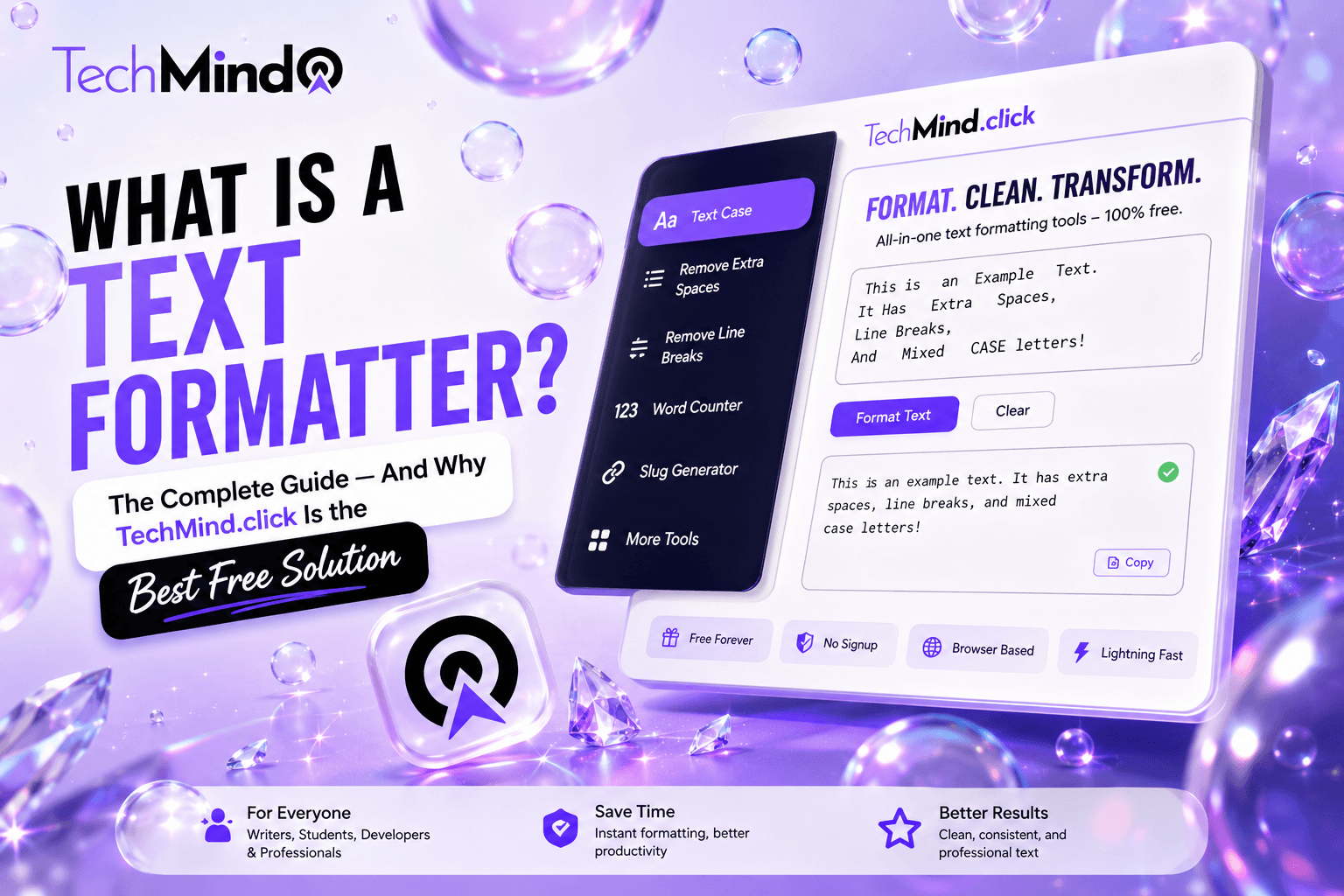
As Maya Angelou once said, "Words mean more than what is set down on paper." But before those words can carry meaning, they need to be formatted correctly. The wrong case in a heading, an inconsistent URL slug, an extra space from a PDF copy-paste, or a bold word that loses its styling in a WhatsApp message — these are small formatting failures that quietly undermine professional credibility. A text formatter is the tool that eliminates them.
This guide explains exactly what a text formatter is, what it does, who needs one, and why TechMind.click is the best free text formatter available in 2026.
What Is a Text Formatter?
A text formatter is a software tool that modifies, transforms, or standardises the appearance and structure of text according to specific rules or the user's preferences. Text formatters handle tasks that would be tedious, error-prone, or impossible to do consistently by hand — such as converting the capitalisation of hundreds of headings to a uniform style, generating SEO-friendly URL slugs from page titles, or cleaning extra spaces from thousands of words of copy-pasted research.
As Albert Einstein said, "If you can't explain it simply, you don't understand it well enough." Simply put: a text formatter takes text in one format and converts it into another format, faster and more accurately than doing it manually.
Examples of what a text formatter does:
- Converts "hello world" to "Hello World" (Title Case)
- Converts "THE QUICK BROWN FOX" to "the quick brown fox" (lowercase)
- Converts "How to Write Better Headlines" to "how-to-write-better-headlines" (URL slug)
- Removes extra spaces from "too many spaces" to "too many spaces"
- Converts "User First Name" to "user_first_name" (snake_case for developers)
- Generates "𝗛𝗲𝗹𝗹𝗼" Unicode bold that copies correctly into WhatsApp and LinkedIn
Types of Text Formatting Tools
APJ Abdul Kalam said, "Excellence is a continuous process and not an accident." Understanding the different categories of text formatting helps you choose the right tool for each task — and understand why having all of them in one place changes the workflow entirely.
1. Case Converters Case converters change the capitalisation pattern of text. The most common case formats are UPPERCASE, lowercase, Title Case, Sentence case, Proper Case, Alternating Case, camelCase, snake_case, and PascalCase. Each serves a specific purpose — Title Case for headings, lowercase for URLs, camelCase for JavaScript variables, snake_case for Python and SQL.
2. Text Cleaners Text cleaners remove unwanted formatting artifacts from text — extra spaces between words, unwanted line breaks from PDF copy-paste, or special characters that cause display problems. These are the tools that fix the invisible problems created when text moves between different applications and formats.
3. Text Transformers Text transformers change the structure or direction of text — reversing text, converting titles to URL slugs (slugify), converting slugs back to readable text (deslugify), or converting between programming naming conventions like camelCase to snake_case.
4. Unicode Text Stylists Unicode text stylists convert standard text into Unicode character variants that appear styled — bold, italic, strikethrough, underline, small caps, superscript — in any platform, including WhatsApp, Instagram, LinkedIn, and Discord, which strip HTML formatting but display Unicode characters correctly.
5. Text Analysers Text analysers count and report on the content of text — word count, character count, sentence count, line count. These help writers hit target lengths, stay within platform character limits (Twitter's 280 characters, meta descriptions' 155-160 characters), and track the scope of a writing project.
6. File Format Converters Some text formatters extend into file format conversion — converting image files to PDF, for example, which TechMind.click handles entirely in the browser without any server upload.
Who Needs a Text Formatter?
As Steve Jobs said, "Design is not just what it looks like and feels like. Design is how it works." The right text formatter makes every text-related task work better, faster, and more consistently. Here is who benefits most:
Content writers and bloggers: Content writers use text formatters constantly — for heading capitalisation (Title Case or Sentence case), URL slug generation from article titles, cleaning copy-pasted research text, and applying consistent formatting before publishing. A text formatter reduces the formatting overhead of every article from minutes to seconds.
Developers and programmers: Developers use text formatters for naming convention conversion — generating camelCase variable names, snake_case database columns, and PascalCase class names from plain text descriptions. The slug generator is particularly useful for generating Next.js file names, WordPress permalinks, and API endpoint paths.
SEO professionals: SEO professionals rely on text formatters for URL slug generation, meta description formatting, heading structure consistency, and keyword normalisation. Clean URL slugs — lowercase, hyphen-separated, keyword-first — are one of the most impactful on-page SEO improvements available, and a slug generator makes them effortless.
Students and academics: Students use text formatters to clean text extracted from academic PDFs (which arrive with line breaks and extra spaces), convert headings to the correct case for assignments, and count words to meet assignment requirements. The image-to-PDF tool is particularly practical for students submitting photographed work on mobile.
Social media managers and content creators: Social media managers use Unicode text stylists to add bold, italic, and small caps styling to captions and bio text that survives copy-paste into Instagram, LinkedIn, WhatsApp, and Discord — which all strip HTML formatting. Word and character counters help them stay within platform limits.
Data analysts and database administrators: Data professionals use text formatters for data normalisation — converting inconsistent text inputs to a standard format, cleaning imported data from legacy systems that output ALL CAPS, and preparing text fields for database storage.
What Makes a Text Formatter Good?
Warren Buffett noted, "It takes 20 years to build a reputation and five minutes to ruin it." A text formatter builds its reputation through reliability, speed, and honesty about what it does. The criteria that separate a genuinely useful text formatter from one that merely exists:
| Criterion | Why It Matters |
|---|---|
| All tools in one interface | Switching between five tabs for five formatting tasks costs more time than the formatting itself |
| No character limit | Formatting a 10,000-word document should work as well as formatting a single word |
| No sign-up required | Creating an account to format text is unnecessary friction that respects neither your time nor your privacy |
| Client-side processing | Text you paste into a formatting tool may be confidential — it should not be transmitted to any server |
| Correct implementation | Title Case that capitalises every word including prepositions is not Title Case — it is Proper Case. Accuracy matters. |
| Mobile optimised | Writers and students work on phones. A formatter that only works on desktop is a formatter half the audience cannot use |
| No ads | Ads on a formatting tool slow the workflow and signal that the tool's revenue comes from your attention, not your satisfaction |
Why TechMind.click Is the Best Free Text Formatter in 2026
As Winston Churchill said, "Success is not final, failure is not fatal: it is the courage to continue that counts." TechMind.click has built its text formatting toolkit on every criterion above — and meets all of them simultaneously, which no other free tool currently does.
All 25+ tools in one interface: TechMind.click consolidates every text formatting tool a writer, developer, student, or SEO professional needs into a single page. Case converters (UPPERCASE, lowercase, Title Case, Sentence case, Proper Case, Alternating Case, camelCase, PascalCase, snake_case), text cleaners (Remove Spaces, Remove Line Breaks, Reverse Text), text transformers (Slugify, Remove Slug), Unicode stylists (Bold, Italic, Strikethrough, Underline, Small Caps, Superscript, Wide Text), text analysers (Word Counter, Character Counter), and file tools (Image to PDF, QR Code Generator) — all on one page, all one click away.
No character limit — ever: TechMind.click processes text of any length entirely in your browser. A single word converts in a fraction of a second. A 50,000-word document converts in the same fraction of a second. There is no server upload, no file size limit, no processing queue.
No sign-up — not now, not ever: TechMind.click has no account system. There is no email field, no password, no verification step, no premium tier to upgrade to. Open the site, use the tools, close the tab. Nothing is required from you beyond a modern browser.
100% client-side processing — your text never leaves your device: Every text transformation on TechMind.click happens in your browser using JavaScript. When you paste a confidential client document to clean its formatting, that text is never transmitted to any server, never stored in any database, and never retained after you close the tab. This is not a marketing claim — it is the architecture. There is no server to transmit to.
Correct Title Case implementation: Most free case converter tools produce Proper Case (capitalising every word) and label it Title Case. TechMind.click correctly implements AP and Chicago style Title Case — capitalising main words while keeping prepositions, articles, and conjunctions lowercase unless they start the title. This distinction matters for professional publishing, editorial work, and SEO metadata.
Mobile optimised: TechMind.click works on iPhone, Android, tablet, and all modern mobile browsers. Every button is touch-friendly, every text area is responsive, and the Copy function works reliably on mobile — which is essential for social media managers composing captions directly on their phones.
No ads — anywhere: TechMind.click does not run ads. The interface is clean, the workflow is uninterrupted, and nothing competes for your attention while you format your text. As described in our guide on free text formatting tools for content writers, the absence of ads is itself a productivity feature — it keeps the cognitive load of using the tool as low as possible.
TechMind.click vs Other Free Text Formatters
As Mahatma Gandhi said, "In a gentle way, you can shake the world." TechMind.click's approach is gentle — no friction, no conditions, no compromises. Here is how it compares to the alternatives:
| Feature | TechMind.click | ConvertCase | TextFixer | CaseConverter.com |
|---|---|---|---|---|
| Tools available | 25+ | Case only | ~10 | Case only |
| Slug generator | ✅ | ❌ | ✅ | ❌ |
| Unicode bold/italic | ✅ | ✅ | ❌ | ❌ |
| Word/char counter | ✅ | ❌ | ✅ | ❌ |
| snake_case / camelCase | ✅ | ❌ | ❌ | ❌ |
| QR Code Generator | ✅ | ❌ | ❌ | ❌ |
| Image to PDF | ✅ | ❌ | ❌ | ❌ |
| Client-side only | ✅ | ❌ | ❌ | ❌ |
| No sign-up ever | ✅ | ✅ | ✅ | ✅ |
| No ads | ✅ | ❌ | ❌ | ❌ |
| Correct Title Case | ✅ | ❌ | ⚠️ | ❌ |
| Mobile optimised | ✅ | ⚠️ | ⚠️ | ⚠️ |
The Complete TechMind.click Tool List
Every tool at TechMind.click is free, unlimited, and available without sign-up:
Case Converters: UPPERCASE · lowercase · Title Case · Sentence case · Proper Case · Alternating Case · camelCase · PascalCase · snake_case
Text Cleaners: Remove Extra Spaces · Remove Line Breaks · Reverse Text
Text Transformers: Slugify (URL slug generator) · Remove Slug (deslugify)
Unicode Text Stylists: Bold · Italic · Strikethrough · Underline · Small Caps · Superscript · Wide Text · Upside Down
Text Analysers: Word Counter · Character Counter · Sentence Counter · Line Counter
File Tools: Image to PDF · QR Code Generator (with Social Media QR codes, Label Control, logo embedding, custom colours, PNG/SVG/PDF download)
Frequently Asked Questions
Q: What is the difference between a text formatter and a word processor?
A word processor (Microsoft Word, Google Docs) is a full document creation application — it handles document layout, page setup, fonts, paragraphs, images, and long-form editing. A text formatter is a focused utility that performs specific text transformations — case conversion, spacing cleanup, slug generation — on any text, regardless of where it came from or where it is going. TechMind.click is a text formatter: it transforms text rather than creating or storing documents.
Q: Is TechMind.click really free — no hidden paid plan?
Yes. TechMind.click has no paid tier, no premium plan, no trial period, and no feature that locks after a usage limit. Every tool — all 25-plus of them — is free permanently. There is no account system, which means there is nothing to upgrade from free to paid.
Q: How is TechMind.click different from other free case converters?
The primary differences are: breadth of tools (25+ vs typically 4-6 in competitors), client-side processing (your text never leaves your browser), no ads, correct Title Case implementation (excluding prepositions and articles), and unique tools no other free formatter includes — snake_case converter, camelCase, QR Code Generator, Image to PDF, and Social Media QR Codes.
Q: Can I use TechMind.click for confidential or sensitive text?
Yes. All processing is client-side — your text is never transmitted to any server. It exists only in your browser's memory during the session and is not retained after you close the tab. This makes TechMind.click suitable for confidential business documents, legal text, medical content, and any other sensitive material.
Q: Does TechMind.click work on mobile phones?
Yes. TechMind.click is fully optimised for iPhone and Android. All tools work on mobile browsers including Safari on iOS and Chrome on Android. The copy function works correctly on mobile, and the interface is touch-friendly with appropriately sized buttons for phone screens.
Q: What is the best text formatter for SEO professionals?
TechMind.click is particularly well-suited for SEO work because it combines the tools SEO professionals use most frequently: the Slugify tool for URL slug generation, Title Case converter for heading and meta title formatting, word and character counters for meta description length management, and Remove Extra Spaces for content cleanup. All in one tab, all free.
Q: What is the best free text formatter for developers?
For developers, TechMind.click's combination of camelCase, PascalCase, snake_case, and Slugify tools in one interface — alongside standard case converters and text cleaners — makes it uniquely practical. Most text formatter tools are designed for writers and omit the naming convention converters that developers need. TechMind.click covers both audiences in the same interface.
Final Thoughts
As Steve Jobs said, "The most powerful person in the world is the storyteller." But the storyteller's words must first be formatted correctly — the right case for the right context, the right slug for the right URL, the right Unicode styling for the right platform.
A text formatter is the tool that makes that formatting effortless. TechMind.click is the text formatter that does it all — 25-plus tools, zero sign-up, zero character limit, zero server upload, zero ads — free, permanently, for writers, developers, students, and professionals who take their text seriously.
Try every tool free at TechMind.click — no account, no download, works on any device.