camelCase and Proper Case Converter Online - Free Text Formatting Tool
Admin
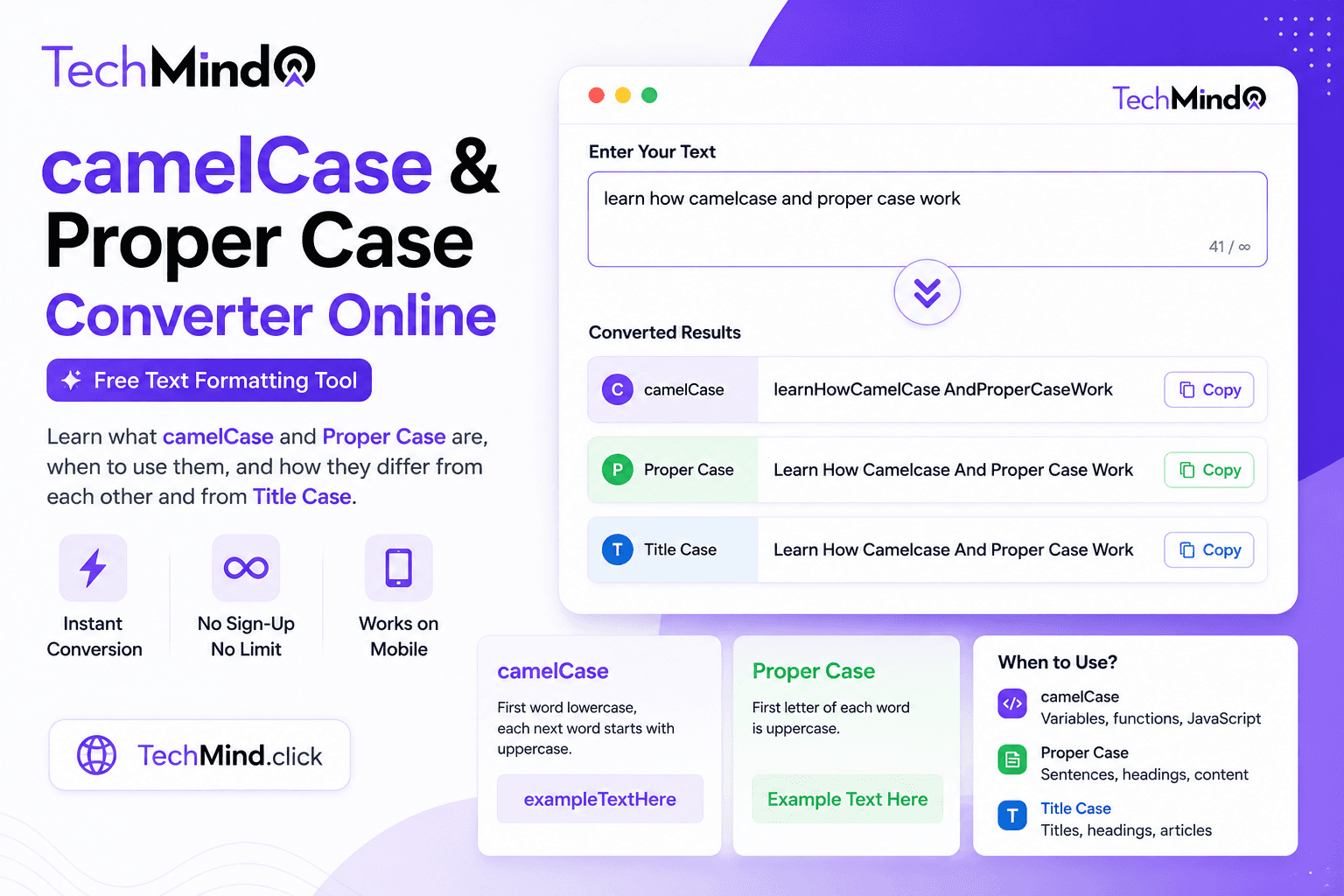
Steve Jobs once said, "Details matter, it's worth waiting to get it right." In software development and content creation, naming conventions and text formatting are exactly those details. A variable written as UserFirstName instead of userFirstName can cause a runtime error. A heading written as "The Best Tools For Writers" instead of "The Best Tools for Writers" signals a lack of editorial precision. Both camelCase and Proper Case exist to bring consistency - but they serve completely different purposes, different audiences, and different contexts.
This guide explains what camelCase and Proper Case are, how they differ from each other and from Title Case, when to use each one, and how to convert any text to either format instantly using TechMind.click - free, no sign-up required.
What Is camelCase?
camelCase is a naming convention used primarily in programming where multiple words are joined together without spaces, and each word after the first begins with a capital letter. The first word is always lowercase. The name comes from the visual appearance of the capital letters rising up like humps on a camel.
Example:
- Input: user first name
- camelCase output: userFirstName
More examples:
- get user profile → getUserProfile
- calculate total price → calculateTotalPrice
- is email verified → isEmailVerified
- background color → backgroundColor
- max retry count → maxRetryCount
As Albert Einstein observed, "If you can't explain it simply, you don't understand it well enough." The simple rule for camelCase: first word all lowercase, every subsequent word starts with a capital, no spaces, no separators.
What Is Proper Case?
Proper Case is a text format where the first letter of every single word is capitalised - without exception. Unlike Title Case, which follows editorial rules about which words should and should not be capitalised, Proper Case simply capitalises everything uniformly.
Example:
- Input: the best text formatting tools for writers
- Proper Case output: The Best Text Formatting Tools For Writers
Notice that small words like "For" and "The" are capitalised in Proper Case - which distinguishes it from true Title Case where words like for, the, a, an, in, on, and of are left lowercase.
More examples:
- how to create seo friendly urls → How To Create Seo Friendly Urls
- free online text tools → Free Online Text Tools
- word counter and character counter → Word Counter And Character Counter
camelCase vs Proper Case vs Title Case vs PascalCase - The Full Comparison
As APJ Abdul Kalam said, "Excellence is a continuous process and not an accident." Understanding the distinctions between these formats is what separates consistent, professional output from inconsistent work.
| Format | Example | First Word | Small Words | Spaces | Used In |
|---|---|---|---|---|---|
| camelCase | userFirstName | Lowercase | Lowercase | None | JS/TS variables, JSON keys, APIs |
| PascalCase | UserFirstName | Uppercase | Uppercase | None | Class names, React components, C# |
| Proper Case | User First Name | Uppercase | Capitalised | Yes | Product names, navigation, lists |
| Title Case | User First Name | Uppercase | Lowercase | Yes | Blog titles, headlines, book names |
| Sentence case | User first name | Uppercase | Lowercase | Yes | Body text, emails, captions |
| lowercase | user first name | Lowercase | Lowercase | Yes | URLs, code, data normalisation |
| UPPERCASE | USER FIRST NAME | Uppercase | Uppercase | Yes | Constants, abbreviations, emphasis |
| snake_case | user_first_name | Lowercase | Lowercase | Underscore | Python, SQL, file names |
The most commonly confused pair is Proper Case vs Title Case. Many free online converters label their output as Title Case when it is actually Proper Case - capitalising every word including prepositions like for, in, of, a, the. True Title Case follows AP or Chicago style guidelines which keep those small words lowercase. For a complete comparison of these two formats, see our detailed guide on Title Case vs Sentence Case.
When Should You Use camelCase?
camelCase is a programming convention. It is not used in natural writing - only in code. Here are the specific contexts where it is the standard or widely expected choice:
JavaScript and TypeScript variables and functions: camelCase is the universally accepted convention for variable names and function names in JavaScript and TypeScript. This is not a personal preference - it is the de facto standard followed by virtually every JavaScript codebase and enforced by most linting tools.
Examples from real code:
const firstName = "John";function calculateTotalPrice(items) { }const isUserAuthenticated = checkAuth();let backgroundColorValue = "#ffffff";
JSON keys in APIs:
Most REST APIs built with JavaScript or Node.js return JSON with camelCase keys - because the developers writing them follow JavaScript conventions. When you receive { "firstName": "John", "lastName": "Smith" } from an API, that is camelCase.
React props and component state:
In React, all props, state variables, and event handlers follow camelCase. onClick, onChange, className, backgroundColor, isVisible - these are all camelCase by React's convention and will not work if written otherwise.
Java and C# variables: Java and C# both use camelCase for local variables and method parameters - though class names use PascalCase. Understanding the distinction between camelCase (variables) and PascalCase (classes) is fundamental in both languages.
CSS custom properties:
While CSS itself traditionally uses kebab-case for class names, CSS custom properties (variables) are often written in camelCase when used alongside JavaScript: --primaryColor, --borderRadius.
When Should You Use Proper Case?
Proper Case is used in writing and content contexts - not in code. It occupies a specific position: more formal than Sentence case, but less editorially precise than true Title Case. Winston Churchill once said, "Success is not final, failure is not fatal: it is the courage to continue that counts." Proper Case gives every word that same weight - every word capitalised equally, every word treated as important.
Product and brand names: Many product names, brand taglines, and feature names use Proper Case. "Free Text Formatting Tools For Everyone" - every word capitalised, every word equally prominent. This works for marketing copy, product catalogues, and feature lists where you want visual uniformity rather than editorial precision.
Navigation menu items: Website navigation menus often use Proper Case for items: "About Us", "Our Services", "Contact Us", "Terms And Conditions". The capitalisation signals that these are proper nouns and navigable destinations rather than body text.
Social media captions and hashtags: Hashtags use a specific version of Proper Case - capitalising each word for readability in multi-word hashtags. #FreeTextTools, #ContentWritingTips, #WebDevelopment are all easier to read than #freetexttools. Screen readers also benefit from this capitalisation for accessibility.
Table headers and data labels: In data tables, spreadsheets, and database display interfaces, column headers and labels are frequently written in Proper Case: "First Name", "Last Name", "Date Of Birth", "Total Amount". This gives data a professional, formal appearance.
Formal lists and outlines: When creating a formal list or outline - a report structure, a presentation agenda, a meeting schedule - Proper Case gives each item equal visual weight and signals that these are complete, standalone items rather than fragments of a sentence. This connects directly to the text formatting tools covered in our guide on best case converter tools.
The camelCase Trap - When Developers Mix Up camelCase and PascalCase
As Warren Buffett noted, "It takes 20 years to build a reputation and five minutes to ruin it." In code, mixing up camelCase and PascalCase can break a build in seconds. Here is the practical distinction:
camelCase - first word lowercase:
- userFirstName ✅ - variable
- calculateTotalPrice ✅ - function
- isEmailVerified ✅ - boolean variable
- onClick ✅ - React event handler
PascalCase - first word uppercase:
- UserProfile ✅ - React component, class name
- CalculateTotalPrice ✅ - C# method
- DatabaseConnection ✅ - class name
- ApiResponse ✅ - TypeScript interface or type
The rule is simple: camelCase starts lowercase, PascalCase starts uppercase. For code naming conventions, also see our guide on the snake_case converter - which covers when snake_case is preferred over both camelCase and PascalCase.
How to Convert Text to camelCase or Proper Case Using TechMind.click
Mahatma Gandhi said, "In a gentle way, you can shake the world." Converting text to the right case format - gently and instantly - takes four steps on TechMind.click:
- Go to TechMind.click - The text formatter loads on the homepage. No navigation, no account required.
- Paste your text - Type or paste any text into the input area. A phrase, a sentence, a list of variable names, or a full paragraph.
- Click the Case tab - Select the Case category in the toolbar to see all conversion options including camelCase and Proper Case.
- Click camelCase or Proper Case - Your text converts instantly. Click Copy Text to copy the output and paste it directly into your code editor, CMS, or document.
Real workflow examples:
- Naming a JavaScript variable → paste description → click camelCase → ready to use in code
- Formatting a product feature list → paste items → click Proper Case → consistent professional appearance
- Generating React component names → paste component description → click PascalCase → file and component name ready
- Formatting navigation menu items → paste menu labels → click Proper Case → uniform navigation labels
camelCase for Common Developer Tasks - Quick Reference
Here are the most common text-to-camelCase conversions developers need:
| Plain Text | camelCase | Use Case |
|---|---|---|
| user first name | userFirstName | Variable / API key |
| is email verified | isEmailVerified | Boolean variable |
| get user profile | getUserProfile | Function name |
| background color | backgroundColor | CSS property / React prop |
| created at timestamp | createdAtTimestamp | Database field display |
| total item count | totalItemCount | Variable |
| on button click | onButtonClick | Event handler |
| max retry attempts | maxRetryAttempts | Config constant |
Frequently Asked Questions
Q: What is the difference between camelCase and PascalCase?
In camelCase, the first word is all lowercase and subsequent words start with a capital - userFirstName. In PascalCase (also called UpperCamelCase), every word starts with a capital including the first - UserFirstName. camelCase is used for variables and functions in JavaScript, TypeScript, Java, and C#. PascalCase is used for class names, React components, TypeScript interfaces, and C# methods.
Q: What is the difference between Proper Case and Title Case?
Proper Case capitalises the first letter of every single word without exception - "The Best Tools For All Writers." Title Case follows editorial style guides (AP, Chicago, MLA) and keeps small words lowercase unless they start the title - "The Best Tools for All Writers." Most free online case converters that label their output "Title Case" are actually producing Proper Case. TechMind.click correctly implements both formats separately.
Q: Should I use camelCase or snake_case for JavaScript variables?
camelCase is the standard for JavaScript and TypeScript variables and functions. snake_case is the standard for Python. While JavaScript will technically run with snake_case variable names, it violates the widely accepted JavaScript style convention and will likely be flagged by ESLint and most code review processes. Use camelCase for JS/TS, snake_case for Python and SQL.
Q: Is there a free camelCase converter that works without sign-up?
Yes. TechMind.click converts any text to camelCase entirely in your browser - no account, no sign-up, no character limit. Open the site, paste your text, click camelCase in the Case tab, and copy the result. It works on desktop and mobile browsers.
Q: When should I use Proper Case instead of Title Case?
Use Proper Case when you want every word capitalised uniformly - for product names, navigation labels, table headers, hashtags, and formal lists where editorial precision matters less than visual consistency. Use Title Case when you are following a specific style guide - for book titles, news headlines, academic paper titles, or formal headings where AP or Chicago style is expected.
Q: Does camelCase work for CSS class names?
While camelCase is technically valid in CSS, the widely accepted convention for CSS class names is kebab-case - lowercase words separated by hyphens: .nav-bar not .navBar. In JavaScript when referencing CSS classes through the DOM or React's className prop, the camelCase version is used: element.style.backgroundColor. But in the stylesheet itself, kebab-case is standard.
Q: Can I convert JSON keys from snake_case to camelCase?
Yes. Paste your JSON keys (one per line) into TechMind.click and click camelCase. This is useful when working with APIs that return snake_case keys (common in Python and Ruby backends) and you need camelCase equivalents for your JavaScript frontend. For the reverse - converting camelCase to snake_case - use the snake_case converter on TechMind.click.
Final Thoughts
As Maya Angelou wrote, "Words mean more than what is set down on paper." In programming, the words we use for variable names, function names, and class names carry meaning that goes beyond their literal content - they signal intent, context, and the team's understanding of conventions. Consistent camelCase in JavaScript code is not pedantry; it is communication.
In writing and content creation, Proper Case gives every word equal visual weight - a deliberate choice that works for product names, navigation labels, and formal lists where uniformity matters more than editorial precision.
TechMind.click converts text to both camelCase and Proper Case instantly - alongside six other case formats, a slug generator, snake_case converter, word counter, character counter, and more - all in one free interface with no sign-up required.
Try the free camelCase and Proper Case converter at TechMind.click - no account, no limit, works on any device.