How to Remove Extra Spaces from Text Online - A Simple Guide
Admin
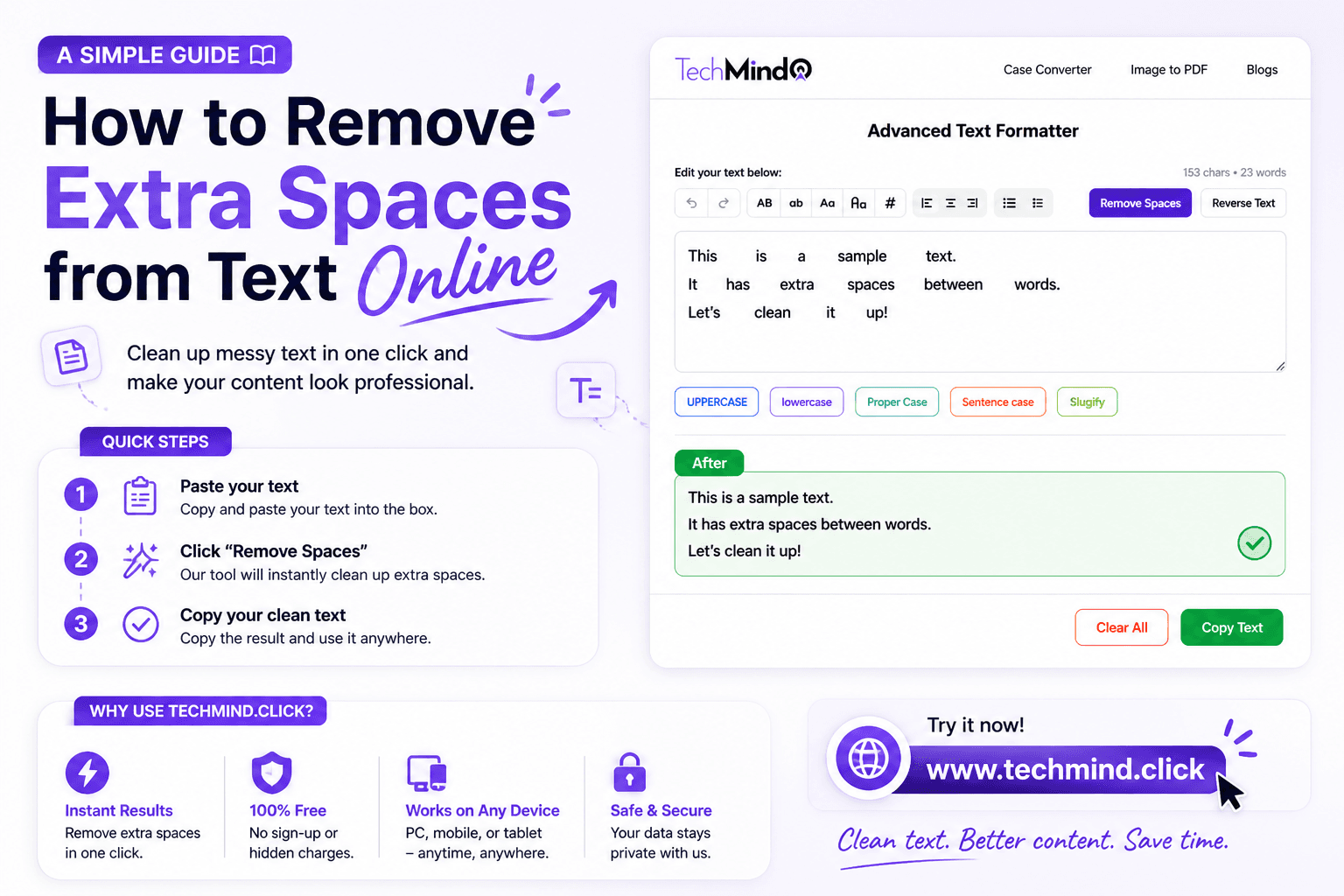
You copy text from a PDF, a website, or a Word document - and suddenly your clean paragraph looks like this: "Hello World. This is a test." Extra spaces everywhere. It happens to everyone, and fixing it manually, character by character, is one of the most frustrating small tasks in writing.
The good news is that you do not have to fix it manually. There is a faster, smarter way - and it takes about three seconds. In this guide, we will explain why extra spaces happen, why they matter, and how to remove them instantly using TechMind.click.
Why Do Extra Spaces Appear in Text?
Extra spaces are almost always caused by the source of the content, not by you. Here are the most common reasons:
- Copy-pasting from PDFs: PDF files store text in a way that adds spacing between words and characters when extracted. When you paste this into a document or CMS, the spacing comes along with it.
- Word processor formatting: Microsoft Word and Google Docs sometimes add extra spacing after punctuation or between paragraphs that is not visible until you paste the text elsewhere.
- Websites and HTML content: Web pages often use multiple spaces or non-breaking spaces for visual layout. When you copy text from a site, those spaces carry over.
- Manual typing errors: Double-tapping the spacebar is more common than people think, especially when typing fast on a keyboard or mobile device.
- Data imports and exports: When moving data between systems - spreadsheets, databases, CRMs - spacing inconsistencies often get introduced.
Why Extra Spaces Actually Matter
You might think extra spaces are just a visual issue. But they can cause real problems:
SEO and readability: Search engines and readability tools can flag content with inconsistent spacing as low quality. Clean, well-formatted text signals professionalism and attention to detail.
Database and code issues: In programming, an extra space in a string can break a comparison, cause a search to return no results, or corrupt a data field. Developers deal with this constantly.
Publishing and printing: In blogs, articles, and documents meant for publication, extra spaces look unprofessional - especially when they appear in headings or the first line of a paragraph.
Email and communication: Emails with erratic spacing look rushed and careless, which can affect how your message is received professionally.
How to Remove Extra Spaces Using TechMind.click
TechMind.click has a dedicated Remove Spaces feature built into its free text formatter. Here is how to use it:
- Go to TechMind.click - Open the site. The text formatter is on the homepage, ready to use.
- Paste your text - Copy the text that has extra spaces and paste it into the input box. You can paste a sentence, a paragraph, or a full page of content.
- Click Remove Spaces - Hit the Remove Spaces button. The tool instantly removes all extra spaces, leaving single spaces between words and clean formatting throughout.
- Copy the result - Click Copy Text and your cleaned text is ready to paste wherever you need it.
The entire process takes under five seconds regardless of how much text you have.
Who Needs This Tool the Most?
Content writers and bloggers: Anyone who regularly copies research material from multiple sources knows how messy the spacing gets. Instead of doing a find-and-replace in Word, a single paste into TechMind.click fixes everything at once.
Developers and programmers: When working with user-generated input or scraped data, extra spaces are a constant problem. TechMind.click is a quick manual fix for small data sets before writing a proper cleaning function.
Students: Research papers often involve copying quotes and references from academic PDFs. The spacing that comes out of those files is notoriously inconsistent. Clean it up in seconds before pasting into your document.
Virtual assistants and data entry professionals: Anyone handling large volumes of copy-pasted data in spreadsheets or CRM systems will find this tool saves significant time over manual cleanup.
SEO professionals: When optimising existing content or migrating articles between platforms, spacing issues come up frequently. TechMind.click helps clean text before it goes live.
Frequently Asked Questions
Does removing spaces affect punctuation or paragraph breaks?
No. The Remove Spaces feature on TechMind.click targets extra spaces between words - it does not affect punctuation, line breaks, or paragraph structure. Your text will look clean without losing its original formatting.
Can I clean a large block of text at once?
Yes. TechMind.click handles large amounts of text without any character limit. Whether you are cleaning a single sentence or several paragraphs, the tool processes everything instantly in your browser.
Is TechMind.click free to use?
Completely free. No account, no subscription, no hidden fees. Open the site, use the tool, and close it - no strings attached. It works on desktop, mobile, and tablet.
Final Thoughts
Extra spaces are one of those small problems that add up to a lot of wasted time if you are fixing them manually. Whether you are a writer, developer, student, or anyone who works with text regularly, having a reliable space remover tool in your workflow makes a real difference.
TechMind.click makes it a one-click fix. No software, no setup, no cost. Just paste, click, and copy - and your text is clean in seconds.
Try the Remove Spaces tool now at TechMind.click and see how much cleaner your content looks.