How to Make Money with a Free QR Code Generator — Sell QR Codes to Local Businesses
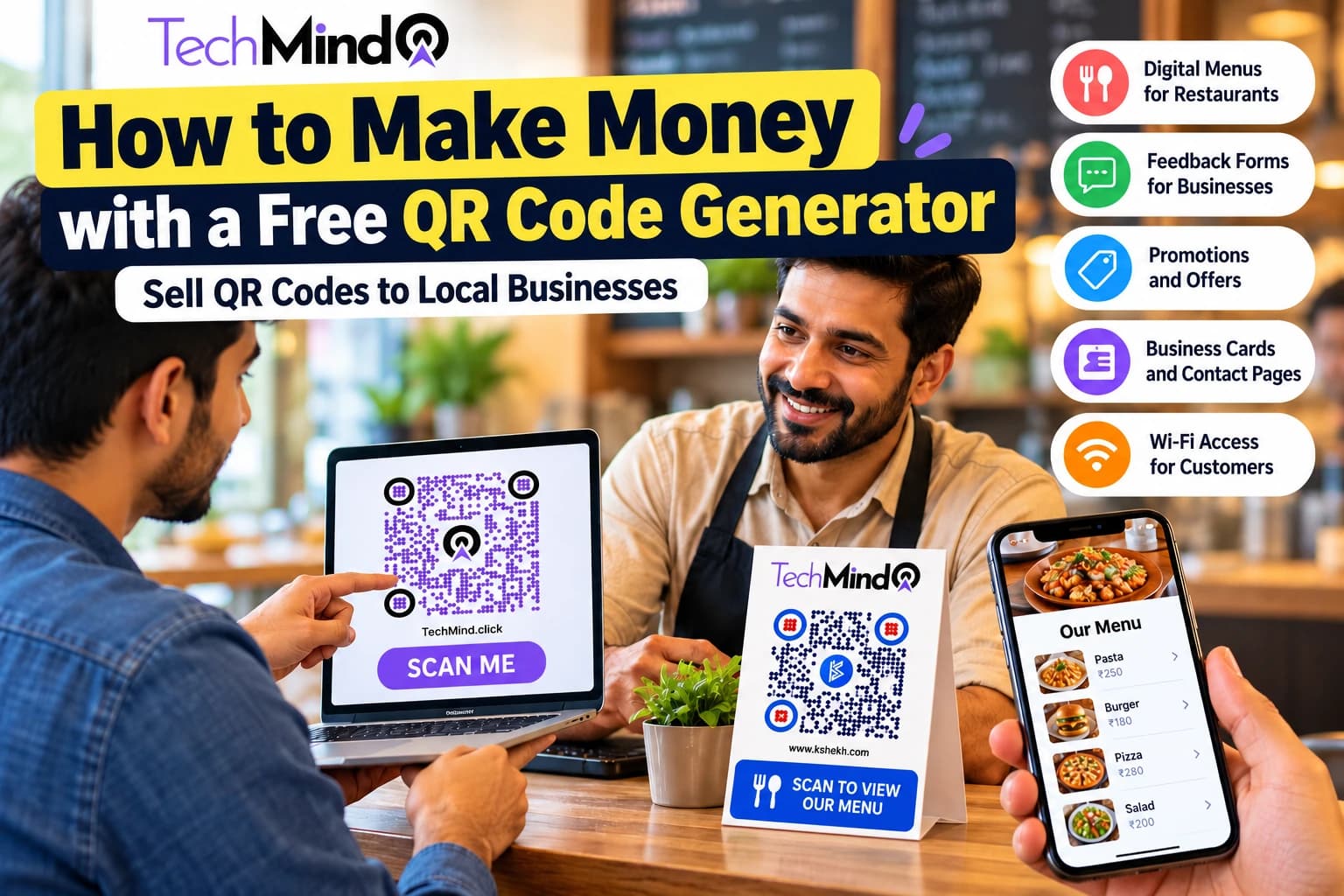
What if you could start a small digital service business without purchasing expensive software, maintaining inventory, or investing in complicated equipment? One simple option is to create QR codes for local businesses and charge for the service you provide.
Restaurants need digital menus. Shops want customers to discover their products. Freelancers need professional contact pages. Hotels want guests to access Wi-Fi instructions, and businesses want an easier way to collect customer feedback. You can help these businesses connect their offline customers to useful online experiences by creating QR codes and delivering ready-to-use solutions.
The best part is that you can begin with a free QR Code Generator from TechMind.click. You do not need to develop your own QR software or buy an expensive subscription just to create a basic QR code.
In this guide, you will learn how to find clients, create QR codes for them, package your services, set your prices, and build a small business that can grow over time.
Can You Really Make Money with a Free QR Code Generator?
Yes. The business opportunity is not necessarily selling the QR code itself. It is selling the time, design, convenience, and business solution that you deliver to a customer.
For example, a restaurant owner might know how to create a QR code but have no time to prepare a mobile-friendly menu, format product photographs, design an attractive table card, test the code, and print the finished materials. You can handle that work for a service fee.
Your workflow can be simple:
- Find a business that could benefit from a QR code.
- Ask the owner what problem they want to solve.
- Create the required destination page, if needed.
- Generate a QR code using a free tool.
- Test the code and prepare the final design.
- Deliver the files and instructions to the client.
- Charge for the agreed service and offer additional support when useful.
You can start with basic QR code creation and gradually offer higher-value services such as digital menus, landing pages, feedback forms, and branded print designs.
What Can You Sell Using a Free QR Code Generator?
Before contacting customers, decide which specific problem your service will solve. Businesses are more likely to pay for a useful result than for a QR code alone.
1. QR Codes for Restaurant Menus
Restaurants, cafes, food stalls, bakeries, and small hotels can use QR codes to let customers view menus on their smartphones.
You can offer a complete package that includes:
- A mobile-friendly digital menu or menu PDF.
- A QR code linked to the menu.
- A branded table card or countertop display.
- Menu updates when the client requests them.
- Optional food photography and menu design.
For example, if a cafe has a menu printed on paper, you could create a digital version and generate a QR code that opens it. The owner can display the code on tables, at the counter, or near the entrance.
How you earn: Charge a setup fee for preparing the menu, generating the code, testing it, and delivering the design. Charge separately for future menu changes or ongoing management if the client wants those services.
2. QR Codes for Customer Feedback and Surveys
Small businesses often want to understand whether customers are happy with their products or services. You can create QR codes that open a feedback form or survey.
Your service may include:
- Setting up a feedback form using an appropriate form platform.
- Generating a QR code that opens the form.
- Designing a small sign with a message such as "Scan to Share Your Feedback".
- Testing the form on mobile devices.
- Helping the owner review collected responses, if included in the agreement.
You can sell this service to salons, gyms, retail shops, clinics, repair services, and restaurants. Make sure the form clearly explains how responses will be used and does not collect unnecessary personal information.
3. QR Codes for Discounts and Promotional Offers
Local shops can use QR codes to direct customers to a discount page, a seasonal offer, a product catalogue, or a promotional campaign.
For example, a clothing store could display a QR code with the message "Scan to Explore This Week's Offers". The destination could show current discounts, featured products, or a coupon that customers can present at checkout.
You can charge for the QR code design, promotional landing page, campaign graphics, and future updates. Make sure the offer has clear terms and an actual expiry date if one is advertised.
4. QR Codes for Business Cards and Contact Details
Freelancers, consultants, real estate agents, tutors, and sales professionals may want customers to access their contact information quickly.
Create QR codes that open a portfolio, contact page, business website, or supported digital contact card. You can also design a complete business card that combines the code with the customer's branding.
This service is suitable for beginners because the deliverable is straightforward: generate the code, design the card, test the destination, and send the files to the customer.
5. QR Codes for Wi-Fi Access
Cafes, guesthouses, coworking spaces, salons, and waiting rooms may benefit from QR codes that allow visitors to connect to a Wi-Fi network more conveniently.
You can prepare a QR code for the network details and design a display card with a clear instruction such as "Scan to Connect to Guest Wi-Fi".
Only handle network information with the owner's permission. Use a guest network when available, and avoid putting confidential network credentials on publicly distributed materials unless the business has approved that arrangement.
6. QR Codes for Product Catalogues and Business Websites
Retailers, wholesalers, home businesses, and local manufacturers can use QR codes to link packaging, brochures, and product displays to online catalogues.
You can offer QR code generation alongside catalogue formatting, product-page creation, website design, and print-ready artwork. This is a good opportunity to increase the value of each project instead of charging only for the code.
Step 1: Generate QR Codes for Free
You do not need a paid QR subscription to get started with basic QR code services. Use a free generator to create a code for the client's destination.
Try the TechMind.click QR Code Generator to create a QR code for a website, menu link, contact details, Wi-Fi information, or another supported content type.
Follow these steps:
- Open the QR code generator.
- Select the QR code type that matches the customer's requirements.
- Enter the correct destination URL or information.
- Choose suitable colours and optional branding features.
- Generate the QR code and download it in an appropriate format.
- Scan the downloaded code with a phone to verify the destination.
- Prepare the final artwork or print-ready file if your package includes design.
For print projects, prefer SVG or a sufficiently high-resolution PNG when available. Maintain a dark code on a light background, leave enough blank space around the code, and test the actual printed version before delivering a large batch.
Important: A free generator can create the QR code, but it does not automatically provide every service your customer might need. A digital menu, survey, landing page, hosting, analytics, printing, and ongoing updates may require separate tools or additional work. Confirm the generator's commercial-use terms and available download features before using it for client projects.
Step 2: Find Local Businesses That Need QR Codes
Your first paying customer may be closer than you think. Start with businesses that have a clear use for QR codes and a simple way to demonstrate the benefit.
Potential customers include:
- Restaurants and cafes with printed menus.
- Salons and spas that want service lists or booking links.
- Retail stores that want to display catalogues and promotions.
- Hotels and guesthouses that need guest information pages.
- Gyms and fitness studios that want enquiry or registration forms.
- Real estate agents who need property details and contact pages.
- Event organisers who need registration, schedules, or feedback forms.
- Freelancers and consultants who want professional contact materials.
Use Google Maps to build a list of relevant businesses in your area. Review their publicly visible websites, menus, social media profiles, and customer-facing materials. Look for a genuine opportunity to improve their current process rather than assuming that every business without a visible QR code needs one.
You can also visit local businesses during less busy hours. A short, respectful conversation can be more effective than sending hundreds of generic messages.
A simple method for building your prospect list
- Search for cafes, restaurants, salons, or other businesses in one neighbourhood.
- Record the business name and publicly listed contact information.
- Check whether a digital menu, catalogue, feedback form, or other useful destination already exists.
- Choose one specific service that could help the business.
- Contact the owner or manager with a brief, personalised introduction.
Keep your prospect list organised in a spreadsheet with columns for business name, contact method, service opportunity, date contacted, response, and next action. Follow up politely and respect any request not to be contacted again.
Step 3: Create a Sample Before Selling
Customers may not immediately understand the value of a QR code service. A working demonstration makes your offer easier to understand.
For example, create a sample cafe menu page using fictional business information. Generate a QR code that opens the sample and place it inside a simple table-card design.
Your demonstration should show:
- The QR code printed clearly on a sample card.
- The phone screen after scanning the code.
- The menu or page that opens.
- How the design can use the business's logo and brand colours.
- How the owner can contact you for updates or related services.
Use your own demonstration or obtain permission before using a real business's name, logo, menu, or branding. Do not imply that a business is your customer unless you have actually worked with it.
Step 4: Set Your QR Code Service Prices
You can price your service according to the work involved, the complexity of the deliverables, and the value provided to the customer. The following figures are illustrative starting points in Indian rupees, not guaranteed market rates. Adjust them based on your local market, experience, and project scope.
| Service | Illustrative price | Included work |
|---|---|---|
| Basic QR code | ₹300–₹700 | Generate, test, and deliver one code |
| Branded QR code | ₹700–₹1,500 | Custom colours, simple styling, and digital files |
| Restaurant menu package | ₹1,500–₹4,000 | Basic menu formatting, QR code, and table-card design |
| Feedback form package | ₹1,000–₹3,000 | Form setup, QR code, and display artwork |
| Promotional landing page | ₹2,000–₹7,000+ | QR code and a simple campaign page |
| Ongoing management | ₹500–₹2,000 per month | Agreed updates, testing, and maintenance |
These prices are examples, not a promise of earnings. A basic QR code may be inexpensive to produce, so customers need a clear reason to pay you rather than generate one themselves. Design quality, accurate setup, testing, convenience, and support can make the service more valuable.
Define exactly what each package includes. Specify the number of revisions, whether printing is included, who owns the destination page, how long support lasts, and whether third-party subscriptions or hosting fees are extra.
Step 5: Calculate Your Potential Earnings
Let's look at a simple example of how a small QR code service could generate revenue. These figures are hypothetical and are intended to help you understand the business model.
| Work completed | Quantity | Price each | Total |
|---|---|---|---|
| Basic QR code packages | 10 | ₹500 | ₹5,000 |
| Menu packages | 4 | ₹2,000 | ₹8,000 |
| Monthly management clients | 5 | ₹500 | ₹2,500 |
| Total illustrative revenue | ₹15,500 |
This example represents ₹15,500 in gross revenue, not profit. Your actual earnings depend on how many clients you acquire, the time required for each job, and expenses such as printing, travel, hosting, taxes, and paid software.
Do not assume every customer will subscribe to monthly management. Many clients need only a one-time setup. Recurring revenue is possible when you provide an ongoing service that customers genuinely need and agree to pay for.
Step 6: Turn One-Time Projects into Recurring Services
Creating a QR code is often a one-time task. To earn repeat revenue, offer useful services that continue after delivery.
Possible monthly services include:
- Updating a restaurant's menu and seasonal offers.
- Refreshing promotional landing-page content.
- Maintaining and testing the destination website.
- Updating business contact or catalogue information.
- Preparing new QR display artwork for campaigns.
- Providing agreed reporting for feedback forms or supported analytics.
For example, a restaurant may pay a monthly fee if you regularly update its digital menu and promotional content. A shop running frequent campaigns may want new QR-linked offers every month.
Explain the monthly deliverables clearly. Do not charge a recurring fee for a static code that requires no ongoing work unless the client knowingly chooses a legitimate paid service with continuing benefits.
Static vs Dynamic QR Codes: What Should You Offer?
Understanding the difference between static and dynamic QR codes helps you select the right solution for each customer.
- Static QR codes: The destination or encoded information is built into the code. They are useful for stable links and simple information. If the destination changes, you may need to create and redistribute a new code.
- Dynamic QR codes: These typically use a redirect or management service so the destination can be changed without replacing the printed code. Features, scan analytics, pricing, and availability depend on the provider.
A free static QR code is often sufficient for a business with a permanent website or menu URL. Dynamic QR codes may be more appropriate when the owner needs to change destinations or measure scans, but check the provider's terms, pricing, and access requirements first.
Never promise that a code will remain editable forever unless the service terms support that claim. If a dynamic code depends on a paid platform, make sure the customer understands what happens if the subscription ends.
Step 7: Contact Clients with a Simple Sales Message
Keep your introduction short and focused on the customer's business. Avoid claiming that a QR code will automatically increase sales or guarantee more customers.
Here is an example you can adapt for a local cafe or restaurant:
Hello! I help local restaurants create simple digital menus that customers can open by scanning a QR code on their tables. I can prepare the menu link, generate and test the QR code, and design a ready-to-use table card. Would you be interested in seeing a quick sample for your restaurant?
For another business, adapt the offer to its needs. A salon might benefit from a service list and booking link, while a retailer might prefer a product catalogue or promotional page.
Listen to the owner's response before preparing a custom proposal. Agree on the scope and price before doing substantial unpaid work.
Step 8: Deliver a Professional QR Code Package
A professional delivery process helps you earn trust and encourages referrals.
For every client project:
- Confirm the destination URL and obtain approval from the business owner.
- Generate the QR code using an appropriate tool.
- Check colours, contrast, dimensions, and the quiet zone.
- Scan the code using more than one phone where possible.
- Test the destination on a mobile device and confirm that it loads correctly.
- Provide the agreed digital files and print-ready artwork.
- Explain how the customer can use the code and who will maintain the destination.
- Confirm delivery and collect payment according to the agreed terms.
For printed materials, use an appropriate file format and resolution. SVG is useful for scalable print artwork, while a sufficiently high-resolution PNG can work well for many digital and print applications. Always test a physical proof before ordering a large print run.
Can You Start This Business Without Investment?
You can start with very little upfront spending if you already have a computer or smartphone, internet access, and the skills to prepare the deliverables. A free QR code generator can eliminate the need to purchase QR creation software for basic projects.
However, some services may involve expenses. Printing, domain names, hosting, premium design tools, dynamic QR code subscriptions, paid form features, travel, and advertising can all add costs.
To keep your initial expenses low:
- Start with simple QR codes linked to existing client pages.
- Use free design tools where their terms permit commercial use.
- Ask the client to pay for printing or other third-party expenses separately.
- Avoid buying subscriptions before you have a real client requirement.
- Keep written records of the price, deliverables, and payment terms.
The most important early investment is often your time: learning the workflow, creating a good sample, identifying potential customers, and delivering reliable work.
Common Mistakes to Avoid
- Selling only the code: A customer can often generate a basic QR code independently. Offer a useful finished solution instead.
- Failing to test: A code that opens the wrong page or fails to scan can damage your reputation. Test before delivery.
- Using unreliable destinations: Confirm that the linked menu, form, or website is accessible to the intended audience.
- Ignoring ownership: Use the client's approved content and agree on ownership and access to accounts or landing pages.
- Promising permanent service without checking terms: A free generator does not necessarily provide free hosting, editable destinations, or analytics.
- Printing without a proof: Check the final physical size, contrast, margins, and scan performance before producing many copies.
- Expecting guaranteed income: Revenue depends on finding customers and delivering a service they value. Start small and measure your results.
Your First 7-Day Action Plan
If you want to test this business idea, follow a manageable one-week plan.
- Day 1: Learn how to generate, download, and test different types of QR codes.
- Day 2: Create a sample digital menu and a sample feedback-form QR card.
- Day 3: Choose one service package and write down exactly what it includes.
- Day 4: Find 15–20 relevant local businesses and identify their potential needs.
- Day 5: Contact a small number of businesses with personalised messages or visit them in person.
- Day 6: Follow up with interested prospects and prepare clear quotes.
- Day 7: Review responses, improve your sample, and plan the next round of outreach.
These steps are a starting plan, not a guarantee of acquiring a client within seven days. Keep track of your outreach and learn which services attract genuine interest.
Start Creating QR Codes for Your First Client
You do not need to build QR software to begin earning from QR code services. You can use a free generator, identify a real business need, prepare the right destination, and deliver a tested solution for an agreed fee.
Start with one straightforward service, such as a digital menu, a customer feedback form, or a branded business contact QR code. Build a working sample, approach relevant businesses, and improve your offer based on their feedback.
When you are ready to create your first code, visit the TechMind.click Free QR Code Generator. Generate your code, test it, and prepare a professional deliverable that solves a real problem for your client.
Remember: the QR code is the tool. The value you provide through design, setup, convenience, and ongoing support is what turns it into a service business.
Frequently Asked Questions
Can I sell QR codes created with a free generator?
Generally, you can charge for your own design, setup, and delivery services when the tool's terms permit commercial use. Check the specific generator's licence and terms, especially for logos, branding, premium features, and redistribution.
Do I need to create my own QR code generator?
No. You can begin with an existing free generator. Building your own software is only necessary if you want to offer a specialised platform or features that existing tools do not provide.
Can I earn monthly income from QR codes?
Potentially. You can offer monthly menu updates, landing-page maintenance, campaign support, or dynamic QR code management. Recurring income depends on retaining paying clients and providing services they continue to need.
Do free QR codes expire?
A standard static QR code generally does not expire on its own, but the destination can stop working if the website or linked content is removed. Dynamic codes may depend on the provider's subscription and terms.
How much should I charge a local business?
Pricing depends on your work and the local market. You might charge a few hundred rupees for a basic code and more for a branded design, menu setup, feedback form, or landing page. Explain the deliverables and agree on the price before beginning.
How do I get my first QR code customer?
Create a demonstration, identify businesses with a relevant need, and contact them with a personalised offer. Showing a working sample is often more useful than simply telling an owner that you sell QR codes.
Can I use a QR code to collect payments or donations?
Yes, where the payment provider supports the intended use. Use an approved payment link or payment QR code, verify the recipient details, and follow the provider's rules and applicable requirements. Never redirect customer payments to an account without the business owner's authorisation.