Best Free QR Code Generator in 2026 - No Sign-Up, No Watermark, No Expiration
Admin
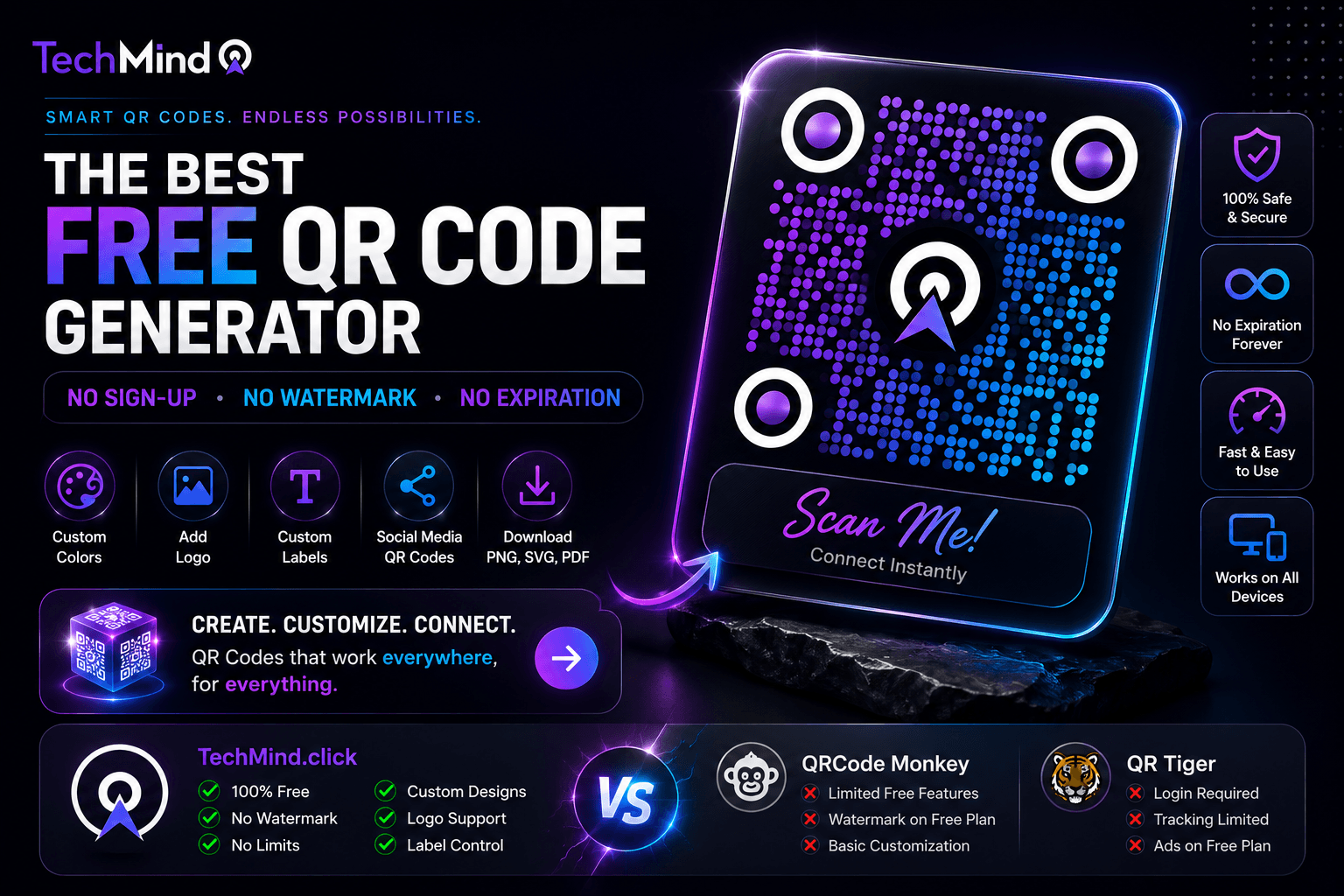
Steve Jobs once said, "You don't need to pay $12 per month for something that should be free." He didn't say that - but the sentiment applies perfectly to QR code generators in 2026. You genuinely don't need to pay, create an account, accept watermarks, or worry about expiration dates to get a professional, high-resolution, custom-branded QR code. You just need the right tool.
This guide compares the most searched QR code generators of 2026 honestly - covering what they charge, what they hide behind sign-ups, and what they add to your downloads without asking - and explains why TechMind.click is the best free option for most individuals and small businesses.
What Makes a QR Code Generator Actually Good?
As Albert Einstein said, "If you can't explain it simply, you don't understand it well enough." Here is the simple checklist that separates genuinely good QR generators from those that look free but aren't:
- No watermark - some free tools add their own logo to your QR code without disclosing this clearly
- No sign-up required - creating an account creates a database entry, email communications, and a dependency on their service
- No expiration - static QR codes should work indefinitely; dynamic free tiers often expire or break if you don't maintain a subscription
- High-resolution download - blurry QR codes fail to scan; SVG or high-DPI PNG is essential for print
- No hidden fees for customisation - colours and logos should be free, not locked behind a paid tier
- Privacy - your URL should not be routed through a tracking server or stored in a third-party database
- No ads disrupting the experience - banner ads on the generation page waste your time and signal the tool's priorities
The Most Searched QR Code Generators in 2026 - Honest Comparison
As Warren Buffett wisely noted, "It takes 20 years to build a reputation and five minutes to ruin it." Here is an honest look at the most popular options:
| Tool | Watermark? | Sign-Up? | Expires? | Ads? | Custom Logo Free? | Privacy |
|---|---|---|---|---|---|---|
| TechMind.click | ❌ Never | ❌ Never | ❌ Never | ❌ None | ✅ Yes | ✅ Client-side |
| QRCode Monkey | ⚠️ Banner ads | ❌ Not required | ❌ Static only | ⚠️ Yes | ✅ Yes | ⚠️ Server upload |
| QR Tiger | ❌ Free tier | ✅ Required | ⚠️ Dynamic expires | ⚠️ Upsells | ⚠️ Limited free | ⚠️ Server upload |
| Canva QR | ❌ No watermark | ✅ Required | ❌ Static | ⚠️ Upsells | ✅ Yes (with account) | ⚠️ Stored in Canva |
| Adobe Express | ❌ No watermark | ✅ Required | ❌ Static | ⚠️ Upsells | ✅ Yes (with account) | ⚠️ Adobe account |
| Jotform QR | ❌ No watermark | ❌ Not required | ❌ Static | ⚠️ Upsells | ✅ Yes | ⚠️ Server upload |
The only tool in this comparison that requires no sign-up, shows no ads, adds no watermark, and processes everything in your browser without a server upload is TechMind.click.
TechMind.click QR Code Generator - What You Actually Get for Free
APJ Abdul Kalam said, "Excellence is a continuous process and not an accident." Here is exactly what TechMind.click provides, entirely free, permanently:
QR code types:
- Website URL
- Plain text
- Wi-Fi credentials (SSID + password)
- Contact card (vCard - name, phone, email)
- Email address
- Phone number
- Social Media QR Codes - pre-styled for Instagram, Facebook, YouTube, Twitter/X, LinkedIn, WhatsApp
Customisation:
- Custom foreground and background colours
- Logo embedding - your logo centred in the QR code
- Label Control - add text above or below with bold, italic, font size, colour, and alignment options
- High-resolution download as PNG, SVG, or PDF
Privacy and reliability:
- Generated entirely in your browser - no data sent to any server
- Static codes that never expire
- No watermark, ever
- No account, no email, no sign-up
Why TechMind.click Is Easier Than QRCode Monkey
QRCode Monkey shows banner ads during QR generation - which interrupts the workflow and signals that the tool's revenue depends on your attention rather than your satisfaction. TechMind.click has no ads anywhere on the platform.
QRCode Monkey also uploads your URL and design data to its servers during generation. TechMind.click processes everything client-side - your content never leaves your device.
Speed comparison:
- QRCode Monkey - open site, navigate ads, upload data to server, wait for generation, download
- TechMind.click - open site, paste URL, click generate, download. Done in under 30 seconds.
Why TechMind.click Is Better Than QR Tiger Free Plan
QR Tiger's free plan has separate pricing for some features, and some options either rely on dynamic QR codes which are limited on the free plan or have entirely separate pricing. The free tier creates a ceiling you hit quickly, then the upsell appears.
QR Tiger also requires account creation - which means your email, your generated codes, and your usage history enter their database. If QR Tiger changes pricing, shuts down a feature, or experiences a data breach, your account is affected.
TechMind.click has no account system at all. There is no database entry to worry about, no email to unsubscribe from, and no pricing change that can affect your access.
Why TechMind.click Works Without Canva or Adobe
Both Canva and Adobe Express offer QR code generation - but both require account creation, and both are primarily design platforms where QR generation is a secondary feature. Converting your link to a QR code is as easy as pasting your URL, choosing the QR code layout, and hitting generate - which is exactly the experience TechMind.click delivers, without the account overhead of a full design platform.
If you already use Canva for design work, using it for QR codes makes sense. But if your only goal is generating a QR code - particularly for a non-designer who does not want to learn a full design interface - TechMind.click is significantly faster and simpler.
Best Use Cases - Which QR Code to Use for What
As Maya Angelou wrote, "Words mean more than what is set down on paper." A QR code communicates more than its URL - its design, its label, and its placement all send a signal. Here is the best setup for each common use case:
Business card: Use a vCard QR code with your logo in the centre and a bold label below reading "Scan to save my contact." Download as SVG for print. Result: professional, branded, permanently functional.
Restaurant menu: Use a URL QR code linking to your menu page. Add a centered label: "Scan to view our menu" in your brand colour. Download as PDF for direct print placement on table cards.
Instagram growth: Use the Instagram Social Media QR Code. Paste your instagram.com/yourusername URL. Add a label: "Follow us on Instagram" in Instagram's signature colour. Place on packaging, receipts, or print materials.
Wi-Fi sharing: Use the Wi-Fi QR code type. Enter your SSID and password. Add a label: "Scan to connect to Wi-Fi" for clarity. Print and place near the router or at the reception area.
Event poster: Use a URL QR code linking to the registration or ticket page. Add a label: "Scan to register" in a high-contrast colour. Download as SVG or high-res PNG for large-format printing.
Product packaging: Use a URL QR code linking to tutorial videos or product registration. Your logo embedded in the centre. Label: "Scan to watch the tutorial" or "Scan to register your product."
How to Create the Best QR Code in Under 60 Seconds
Winston Churchill said, "Success is not final, failure is not fatal: it is the courage to continue that counts." Creating a great QR code should not take courage - just sixty seconds:
- Open TechMind.click - go to techmind.click/qr-code-generator
- Select your QR type - URL, Wi-Fi, Contact, Social Media, Text, Email, or Phone
- Enter your content - paste your URL, type your Wi-Fi password, or fill your contact details
- Choose your platform (Social Media) - or set custom colours for any other type
- Upload your logo - optional, but adds instant brand recognition
- Add a label - type your call-to-action, set bold or italic, choose colour and alignment
- Download - PNG for digital, SVG for professional print, PDF for direct printing
Total time: under 60 seconds. No sign-up step. No payment screen. No watermark on the result.
Frequently Asked Questions
Q: Is TechMind.click really the best free QR code generator with no sign-up?
Among tools tested in 2026, TechMind.click is the only QR generator that combines no sign-up, no watermark, no ads, no expiration, logo embedding, Social Media QR designs, Label Control, and full client-side processing - all free. Each other tool in this comparison requires either a sign-up, shows ads, adds a watermark, or locks customisation behind a paid plan.
Q: Is TechMind.click better than QRCode Monkey?
For most users, yes. TechMind.click has no banner ads interrupting the workflow, processes everything in your browser (QRCode Monkey uploads to a server), and includes Social Media QR designs and Label Control that QRCode Monkey does not offer. QRCode Monkey does support EPS format which TechMind.click currently does not - relevant only for professional print production workflows that specifically require EPS.
Q: Does TechMind.click have a free vs paid tier?
No. TechMind.click has no paid tier. Everything - all QR types, custom colours, logo embedding, Social Media designs, Label Control, and all download formats - is free permanently. There is no premium plan, no trial period, and no feature that gets locked after a certain number of uses.
Q: Are the QR codes generated on TechMind.click safe to scan?
Yes. TechMind.click generates static QR codes that encode exactly what you type - no tracking parameters, no redirect layers, no link shorteners. The code links directly to your URL with nothing in between. All processing happens in your browser, meaning no server handles or stores your data.
Q: What is the easiest way to create a QR code online?
Go to techmind.click/qr-code-generator, paste your URL, and click generate. That is the minimum required. The entire process from opening the page to downloading a QR code takes under 30 seconds. Optional steps - adding custom colours, uploading a logo, setting a label - take another 30-60 seconds if needed.
Q: Do QR codes from TechMind.click expire?
No. TechMind.click generates static QR codes, which encode the destination directly into the visual pattern. Static codes never expire and have no dependency on TechMind.click's infrastructure. The code will work for as long as your destination URL remains active - permanently.
Q: Can I use TechMind.click QR codes for commercial use?
Yes. There are no restrictions on commercial use. Download, print, and use on business cards, product packaging, restaurant menus, event materials, or any other commercial application - no attribution to TechMind.click required.
Final Thoughts
As Mahatma Gandhi said, "In a gentle way, you can shake the world." A QR code is exactly that kind of gentle tool - small, unobtrusive, and quietly effective at connecting physical moments to digital destinations.
The best QR code generator is not the one with the most features or the most polished marketing page. It is the one that gets you from intention to download in the fewest steps, with the fewest compromises, and the most trustworthy handling of your data.
TechMind.click does exactly that. Try it now at techmind.click/qr-code-generator - no sign-up, no watermark, no expiration, and the full feature set available from the first second you open the page.