Unicode Bold, Italic & List Formatting for WhatsApp, Telegram and More - Free Online Generator
Admin
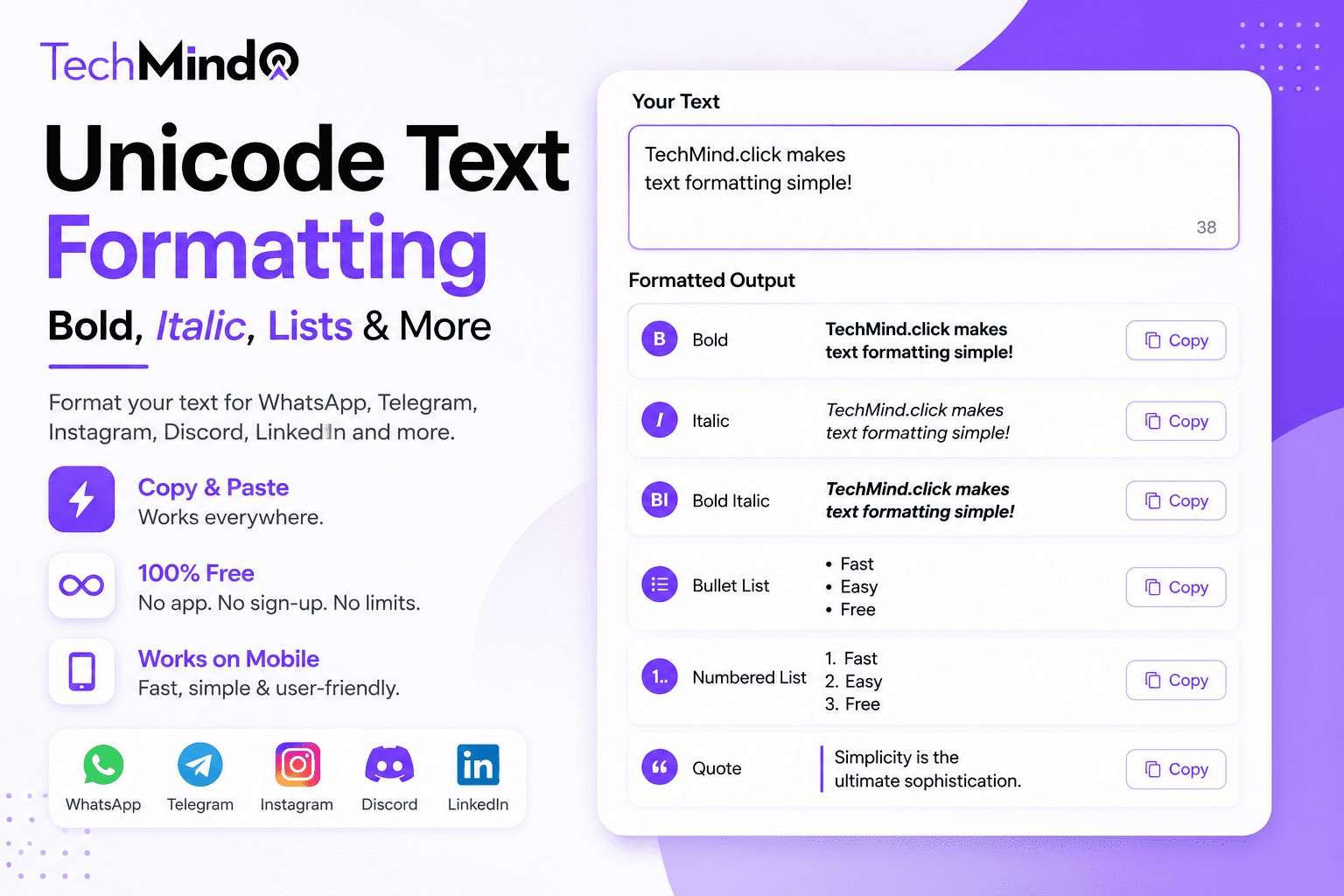
Steve Jobs once said, "The most powerful person in the world is the storyteller." In 2026, that storyteller sends messages on WhatsApp, posts on Telegram channels, writes LinkedIn updates, and captions Instagram posts. And the one thing that separates a message that gets read from one that gets scrolled past is visual structure - bold text, italic emphasis, clean lists.
The problem: most of these platforms strip HTML formatting entirely. You cannot paste a bold word from Google Docs and expect it to stay bold in WhatsApp. You cannot use CSS. You cannot use HTML tags. So how do professional creators, community managers, and content writers make their text visually structured across all these platforms?
The answer is Unicode text - and TechMind.click generates it instantly, free, with no sign-up required.
Why Standard Bold and Italic Do Not Work Cross-Platform
As Albert Einstein observed, "If you can't explain it simply, you don't understand it well enough." Here is the simple explanation:
When you press Ctrl+B in Word or wrap text in <strong> tags in HTML, you are adding a formatting instruction - a signal that tells the display system to render those characters in bold. That instruction lives in the formatting layer, not in the text itself.
When you copy that bold text and paste it into WhatsApp, Telegram, Instagram, or LinkedIn - the formatting layer is stripped. Only the raw characters survive. The display system of those apps sees plain text and renders it plain.
Unicode bold and italic work differently. They use physically different characters from the Unicode standard - mathematical bold and italic letter variants that look styled because they are actually different code points, not because of any formatting instruction. These characters survive copy-paste into any platform because they are just text.
Regular vs Unicode bold:
- Regular bold A (HTML): A - looks bold in a browser, plain text everywhere else
- Unicode bold A: 𝗔 - looks bold everywhere including WhatsApp, Telegram, Instagram
Unicode Bold Text - How It Works and Where to Use It
Unicode bold text uses characters from the Mathematical Bold block - a range of Unicode code points specifically defined for bold variants of standard Latin letters and numbers. Every modern smartphone and computer renders these characters correctly.
Example - same quote, two formats:
- Plain text: As Steve Jobs said, simplicity is the ultimate sophistication.
- Unicode bold key phrase: As Steve Jobs said, 𝘀𝗶𝗺𝗽𝗹𝗶𝗰𝗶𝘁𝘆 𝗶𝘀 𝘁𝗵𝗲 𝘂𝗹𝘁𝗶𝗺𝗮𝘁𝗲 𝘀𝗼𝗽𝗵𝗶𝘀𝘁𝗶𝗰𝗮𝘁𝗶𝗼𝗻.
Paste that second version into WhatsApp, Telegram, a LinkedIn post, an Instagram caption, or a Discord message - the bold stays exactly as it appears above.
Best use cases for Unicode bold:
- WhatsApp broadcasts and group messages: Highlight important information - deadlines, key names, critical instructions - without relying on WhatsApp's own asterisk formatting which only works within WhatsApp itself
- Telegram channel posts: Create visual hierarchy in long channel updates - use bold for section headers within a single message
- LinkedIn posts: LinkedIn strips all HTML. Unicode bold is one of the only ways to add visual emphasis to a LinkedIn post - which is why many high-follower LinkedIn creators use it for hooks and key points
- Instagram captions and bio: Make your hook line bold to stop the scroll. Bold the call-to-action. Give your bio a structured look with bold labels
- Discord server descriptions: Style your server description and channel topics without relying on Discord's markdown which only works inside Discord
Unicode Italic Text - The Emphasis That Travels
As Maya Angelou wrote, "Words mean more than what is set down on paper." Italic emphasis adds that extra meaning - the tone, the voice, the nuance behind a word. And unlike HTML italic, Unicode italic carries that nuance into every platform you paste it into.
Unicode italic uses the Mathematical Italic Unicode block - different code points from regular letters that appear slanted on every platform.
Example:
- Regular: As Einstein said, imagination is more important than knowledge.
- Unicode italic quote: As Einstein said, 𝘪𝘮𝘢𝘨𝘪𝘯𝘢𝘵𝘪𝘰𝘯 𝘪𝘴 𝘮𝘰𝘳𝘦 𝘪𝘮𝘱𝘰𝘳𝘵𝘢𝘯𝘵 𝘵𝘩𝘢𝘯 𝘬𝘯𝘰𝘸𝘭𝘦𝘥𝘨𝘦.
Paste that into WhatsApp, Telegram, or Instagram - the italic appears exactly as shown.
Best use cases for Unicode italic:
- Quoting in WhatsApp and Telegram: When sharing a quote from a book, a leader, or a study - use italic to visually distinguish the quoted text from your commentary
- Titles of works: Book titles, film names, and publication titles are conventionally italicised. Unicode italic lets you do this correctly in any messaging app
- Subtle emphasis: When bold feels too aggressive, italic adds emphasis without shouting - perfect for WhatsApp messages where you want to stress a word without it feeling like all-caps
- Social media captions: Mix Unicode bold for the hook and Unicode italic for the quote or subtext - a simple two-style approach that creates professional visual hierarchy without any design software
How to Generate Unicode Bold and Italic Using TechMind.click
Winston Churchill said, "Success is not final, failure is not fatal: it is the courage to continue that counts." Generating Unicode text takes less courage - just four steps:
- Go to TechMind.click - The text formatter loads on the homepage immediately. No navigation, no account.
- Paste your text - Type or paste the word, phrase, or sentence you want to style. There is no character limit.
- Click the Style tab - Select the Style category in the toolbar to see Bold, Italic, Strikethrough, Underline, Small Caps, and Superscript options.
- Click Bold or Italic - Your text converts instantly. Click Copy Text and paste it into WhatsApp, Telegram, Instagram, LinkedIn, Discord, or anywhere else.
For more on these tools and how they compare to other styling options, see our complete guide on the bold text generator and Unicode styling.
Bullet Lists and Numbered Lists - Copy-Paste Ready Unicode Symbols
APJ Abdul Kalam said, "Excellence is a continuous process and not an accident." Structuring a message with clear bullet points and numbered lists is one of the most practical forms of that excellence - it makes your information scannable, logical, and professional.
WhatsApp, Telegram, and Instagram do not render HTML list tags. But you can create visually clean lists using Unicode bullet symbols and number sequences that paste perfectly into any platform.
Unicode bullet symbols - copy directly:
- Standard bullet: • (U+2022) - clean, works everywhere
- Arrow bullet: → (U+2192) - directional, great for steps
- Diamond bullet: ◆ (U+25C6) - formal, professional look
- Circle bullet: ○ (U+25CB) - open, light visual weight
- Filled circle: ● (U+25CF) - stronger visual weight
- Star bullet: ★ (U+2605) - emphasis, highlight items
- Checkmark bullet: ✅ - completion, feature lists
- Right arrow: ▶ (U+25B6) - media-style list items
- Small dot: · (U+00B7) - minimal, elegant lists
- Double arrow: ▸ (U+25B8) - compact directional
How to create a bullet list for WhatsApp or Telegram:
Simply type or paste a bullet symbol before each line. Example:
• 𝗔𝗴𝗲𝗻𝗱𝗮 𝗳𝗼𝗿 𝘁𝗼𝗱𝗮𝘆
• Project update - Q2 review
• Budget discussion
• Next steps and assignments
• Q&A
Combining a Unicode bold heading with bullet-pointed items creates a professionally structured message that reads clearly on any device.
Numbered Lists - Structured Steps in Any Platform
For step-by-step instructions, tutorials, or ranked lists - numbered formatting creates clear sequential structure. Use these copy-paste ready formats:
Standard numbered list:
1. First step or item
2. Second step or item
3. Third step or item
4. Fourth step or item
5. Fifth step or item
Unicode circled numbers - visual and elegant:
① First item
② Second item
③ Third item
④ Fourth item
⑤ Fifth item
⑥ Sixth item
⑦ Seventh item
⑧ Eighth item
⑨ Ninth item
⑩ Tenth item
Bold numbered list - combines numbering with Unicode bold text:
𝟭. 𝗙𝗶𝗿𝘀𝘁 𝘀𝘁𝗲𝗽 - description here
𝟮. 𝗦𝗲𝗰𝗼𝗻𝗱 𝘀𝘁𝗲𝗽 - description here
𝟯. 𝗧𝗵𝗶𝗿𝗱 𝘀𝘁𝗲𝗽 - description here
These paste directly into WhatsApp, Telegram, Instagram captions, LinkedIn posts, and Discord messages - with the visual structure fully preserved.
Platform-Specific Formatting Guide
As Warren Buffett wisely noted, "It takes 20 years to build a reputation and five minutes to ruin it." A poorly formatted message on a professional platform - walls of text, no structure, no emphasis - can undermine that reputation instantly. Here is what works on each platform:
WhatsApp: WhatsApp has its own built-in formatting using symbols - *bold*, _italic_, ~strikethrough~, ```monospace```. These work within WhatsApp only. Unicode bold and italic work the same way but survive when forwarded to other apps or platforms. For broadcast messages to large lists, Unicode formatting is more reliable because it does not depend on the recipient's WhatsApp version supporting markdown.
Telegram: Telegram channels and groups support markdown-style formatting - **bold**, __italic__ - but only in the message editor, not when you copy from outside. Unicode bold and italic paste directly and always display correctly. For Telegram channel posts with multiple sections, combining Unicode bold headers, bullet points, and normal body text creates a clean newsletter-style layout entirely within a single message.
LinkedIn: LinkedIn strips all HTML formatting from posts, articles, and comments. Unicode bold is the primary way to create visual emphasis in LinkedIn content - which is why you see it used constantly by high-follower creators for hooks, section headers, and key points. Bullet points using the • symbol also work cleanly in LinkedIn posts.
Instagram: Instagram captions and bios support Unicode text fully. Unicode bold in the first 125 characters of a caption - before the "more" truncation - significantly increases the chance that readers tap to expand and read the full caption. Small caps, italic quotes, and bullet points all display correctly in both captions and bios.
Discord: Discord has its own markdown system that works within Discord. Unicode text works both within and outside Discord - making it useful for server descriptions, announcement channels, and any text that may be shared across platforms.
Complete Message Template - Unicode Bold + Italic + Bullet List
Here is a ready-to-use template combining all the elements - Unicode bold heading, italic subtext, and bullet-pointed body. Copy this, edit the content, and paste into any platform:
𝗧𝗼𝗱𝗮𝘆'𝘀 𝗔𝗴𝗲𝗻𝗱𝗮
𝘛𝘩𝘶𝘳𝘴𝘥𝘢𝘺 𝘮𝘦𝘦𝘵𝘪𝘯𝘨 - 3:00 PM
• Project status update
• Q2 results review
• Budget approval for Q3
• Team assignments
• Open Q&A
𝗣𝗹𝗲𝗮𝘀𝗲 𝗿𝗲𝘃𝗶𝗲𝘄 𝘁𝗵𝗲 𝗿𝗲𝗽𝗼𝗿𝘁 𝗯𝗲𝗳𝗼𝗿𝗲 𝗮𝘁𝘁𝗲𝗻𝗱𝗶𝗻𝗴.
Frequently Asked Questions
Q: Does Unicode bold text work in WhatsApp on all phones?
Yes. Unicode bold characters display correctly on all modern Android and iOS devices regardless of the WhatsApp version. The characters are standard Unicode that every modern smartphone renders - they are not dependent on any app-specific formatting support. Copy from TechMind.click, paste into WhatsApp, and the bold appears immediately on any device.
Q: What is the difference between WhatsApp's own bold formatting and Unicode bold?
WhatsApp's built-in bold uses asterisks - *like this* - which tells WhatsApp's own renderer to display the text in bold. This only works inside WhatsApp. If that message is forwarded to Telegram or the text is copied into an email, the asterisks show up literally. Unicode bold uses different characters that look bold on every platform - so the styling survives anywhere the text goes.
Q: Can I use bullet points in a WhatsApp message?
Yes. Copy a bullet symbol (• is the most common and universally supported) and paste it before each line in your WhatsApp message. The bullet displays correctly on all devices. Combine with Unicode bold text for the list header to create a fully structured, professional-looking WhatsApp message.
Q: Which bullet symbol works best across all platforms?
The standard bullet • (U+2022) works reliably across WhatsApp, Telegram, Instagram, LinkedIn, Discord, and SMS. Arrow symbols → and checkmarks ✅ also work well on modern platforms. Circled numbers ① ② ③ work on most platforms but may display as boxes on very old devices.
Q: Does Unicode italic work in Telegram channels?
Yes. Unicode italic characters display correctly in Telegram messages, channel posts, and group chats. They are distinct from Telegram's own markdown italic (which uses underscores) - Unicode italic works regardless of whether the viewer has markdown rendering enabled and displays identically on all devices.
Q: Can I mix Unicode bold and italic in the same message?
Yes. Generate your bold text and your italic text separately using TechMind.click, then combine them when composing your message. Many content creators use Unicode bold for headings and key phrases and Unicode italic for quotes and subtext - the combination creates professional visual hierarchy in a plain-text environment.
Q: Is there a free tool that generates Unicode bold and italic without sign-up?
Yes. TechMind.click generates Unicode bold, italic, strikethrough, underline, small caps, and superscript text entirely in your browser. No sign-up, no character limit, no download. Open the site, paste your text, click the style you want in the Style tab, and copy the result.
Final Thoughts
As Mahatma Gandhi said, "In a gentle way, you can shake the world." A well-structured WhatsApp message, a bold LinkedIn hook, an italic quote in a Telegram channel - these are gentle ways of making your communication clearer, more engaging, and more professional.
Unicode bold, italic, and list formatting give you the tools to structure any message on any platform - without HTML, without apps, without any technical knowledge beyond copy and paste.
Try the free Unicode bold and italic generator at TechMind.click - Style tab, one click, copy anywhere. No sign-up, no character limit, works on your phone too.