Character Counter Online - Free Real-Time Character Count Tool
Admin
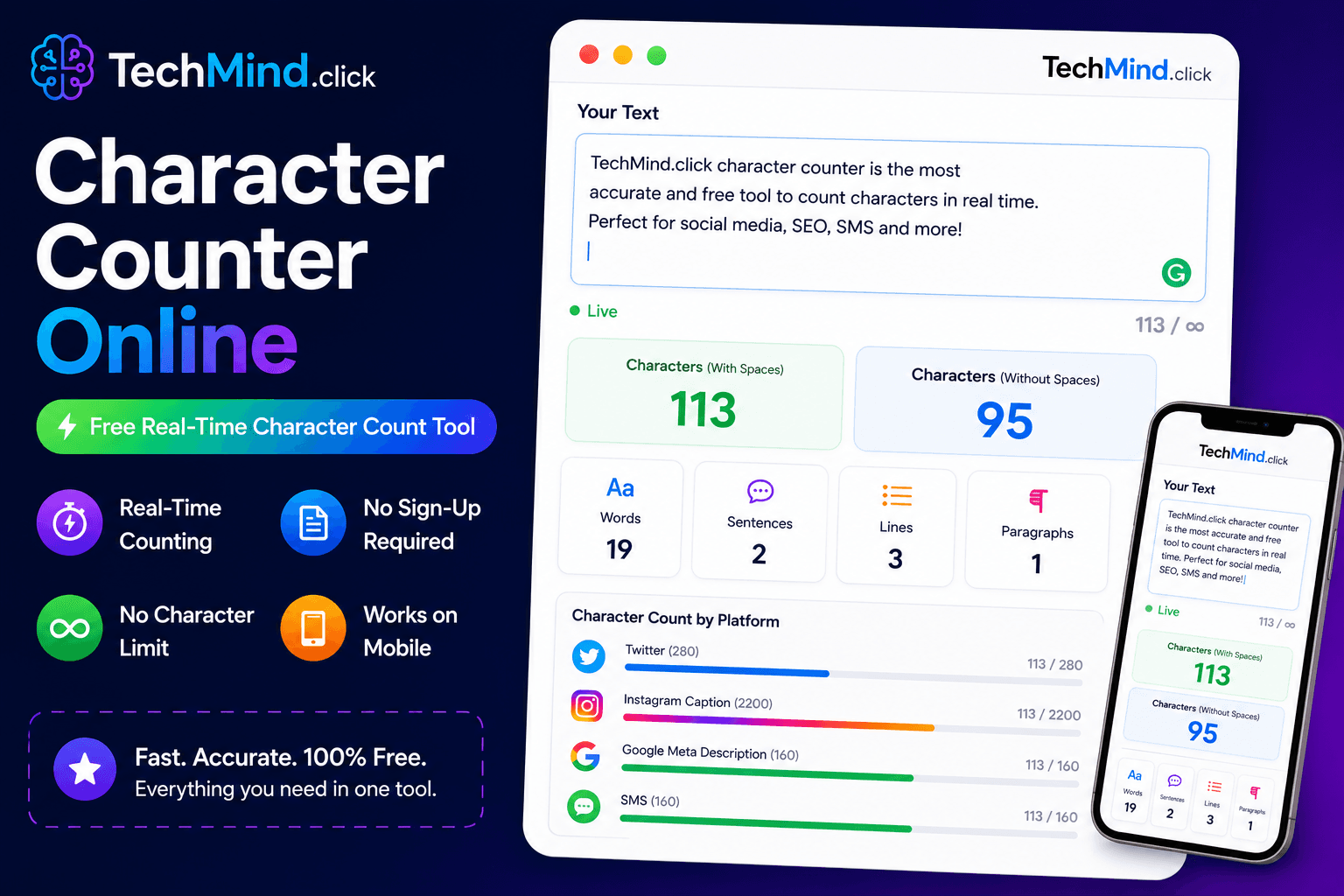
Winston Churchill once said, "I would have written a shorter letter, but I did not have the time." Writing shorter - within a character limit - is a skill. And it starts with knowing your count. Whether you are crafting a tweet, a meta description, an SMS, or an Instagram caption, TechMind.click's free character counter gives you a real-time count the moment you start typing - no button, no delay, no sign-up required.
What Is a Character Counter?
A character counter is a tool that counts the total number of characters in a piece of text - including letters, numbers, spaces, punctuation marks, and line breaks. It updates in real time as you type or paste, giving you a live count at every moment.
TechMind.click shows character count alongside word count, sentence count, and line count - all simultaneously, all in real time, in the stats bar below the text input area.
Why Character Count Matters - Platform by Platform
As Steve Jobs observed, "Details matter, it's worth waiting to get it right." Every major platform has a specific character limit - and going over it means your text gets cut, hidden, or rejected. Here are the exact limits worth knowing:
Twitter / X - 280 characters: Twitter's 280-character limit is one of the most well-known in social media. URLs count as 23 characters regardless of their actual length. Emojis count as 2 characters each. Planning your tweet length with a real-time counter prevents the frustration of writing something perfect only to find it is 15 characters over.
Instagram - 2,200 characters for captions: Instagram captions allow up to 2,200 characters, but only the first 125 characters are visible before the "more" truncation. Writing your most important text - your hook, your key message, your call to action - within those first 125 characters is where the character counter becomes practically essential.
Meta descriptions - 155-160 characters: Google displays approximately 155-160 characters of a meta description in search results. Going over this limit means your description gets cut mid-sentence in search results - which looks unprofessional and reduces click-through rates. TechMind.click's character counter makes it easy to write meta descriptions that fit perfectly. This pairs naturally with the SEO workflow covered in our free text tools for content writers guide.
SMS - 160 characters per message: A standard SMS message is 160 characters. Going over means your message splits into two messages - which costs more and looks unprofessional for business communications. Tracking character count in real time while composing SMS templates prevents accidental splits.
LinkedIn - 3,000 characters for posts: LinkedIn posts allow up to 3,000 characters, but the algorithm favours posts that use the full length with genuine substance. Knowing your character count helps you aim for this range without padding or arbitrary cutting.
WhatsApp broadcast messages - 1,024 characters: WhatsApp broadcast messages and status updates have a 1,024-character limit. For businesses using WhatsApp for customer communications, staying within this limit is important for message delivery reliability.
Character Count vs Word Count - What Is the Difference?
| Metric | What It Counts | Best For |
|---|---|---|
| Character count | Every letter, space, number, punctuation | Social media, meta descriptions, SMS, character-limited platforms |
| Word count | Number of space-separated words | Blog posts, essays, articles, freelance deliverables |
| Sentence count | Number of sentences ending in . ! ? | Readability analysis, academic writing |
| Line count | Number of line breaks | Poetry, code, structured lists |
TechMind.click shows all four metrics simultaneously in the stats bar. For a deeper look at how word count fits into your writing workflow, see our dedicated word counter guide.
How to Count Characters Using TechMind.click
Maya Angelou said, "Words mean more than what is set down on paper." And every character in those words counts - literally. Here is how to use the character counter:
- Go to TechMind.click - The character counter is built into the main text formatter. No separate page needed.
- Type or paste your text - The character count updates in real time with every keystroke. No button required.
- Read the stats bar - Below the input area, you will see: characters · words · sentences · lines - all updating live.
- Edit until you hit your target - Add or remove text while watching the count adjust in real time until you reach your platform's limit.
Quick Character Limit Reference - All Major Platforms
- Twitter / X: 280 characters per tweet
- Instagram caption: 2,200 characters (125 before truncation)
- Instagram bio: 150 characters
- LinkedIn post: 3,000 characters
- LinkedIn headline: 220 characters
- LinkedIn summary/about: 2,600 characters
- Facebook post: 63,206 characters
- Google meta description: 155-160 characters
- Google title tag: 50-60 characters
- SMS: 160 characters per message
- WhatsApp message: 65,536 characters
- WhatsApp broadcast / status: 1,024 characters
- YouTube description: 5,000 characters
- YouTube title: 100 characters (70 visible in search)
- Pinterest description: 500 characters
- Discord message: 2,000 characters
Frequently Asked Questions
Q: Does the character counter include spaces?
Yes. TechMind.click counts every character including spaces, which matches the counting method used by Twitter, Instagram, LinkedIn, and all other major platforms. A text with 50 letters and 10 spaces has a character count of 60. This is the standard definition of character count for platform limits.
Q: How does the character counter handle emojis?
Emojis are Unicode characters and most count as 2 characters in platform limits (Twitter counts them as 2, for example) but display as 1 visible character. TechMind.click counts each emoji as the number of Unicode code units it occupies - which aligns with how most platforms count them.
Q: Is there a character limit on TechMind.click's counter?
No. You can paste text of any length - thousands of words, entire documents - and the character count updates instantly in your browser. There is no server upload and no processing limit.
Q: Can I use the character counter on my phone?
Yes. TechMind.click is fully mobile-optimised. The character count is visible and readable on all smartphone screens. It works on iOS Safari, Android Chrome, and all modern mobile browsers - particularly useful for composing social media captions directly on your phone.
Q: Why is my character count higher than expected after copy-pasting?
Copy-pasted text often contains hidden characters - non-breaking spaces, invisible Unicode characters, or extra line breaks - that inflate the character count. Using the Remove Extra Spaces tool first cleans these invisible characters and gives you an accurate count. Learn more in our guide on removing extra spaces from text.
Q: What is the difference between characters and bytes?
Characters are the human-readable units (letters, spaces, punctuation). Bytes are the storage units - ASCII characters use 1 byte each, while Unicode characters like emojis and special symbols can use 2-4 bytes. Platform limits are almost always stated in characters, not bytes. TechMind.click counts characters.
Final Thoughts
As Albert Einstein said, "Imagination is more important than knowledge." But imagination needs to fit within 280 characters sometimes - and knowing your count in real time gives your imagination the right boundaries to work within.
TechMind.click's free character counter works alongside every other tool in the formatter - case converters, space remover, slug generator, bold text generator - so your entire text workflow happens in one place, one tab, no switching.
Try the free real-time character counter at TechMind.click - no sign-up, no limit, works on any device.